

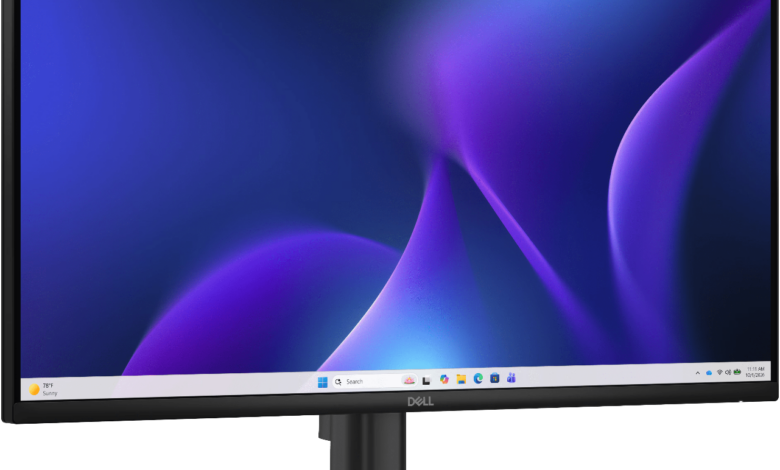
Top 10 Best Computer Monitors in India in 2027
1. Dell S2725HS
The Dell S2725HS is a suitable choice for users looking for a dependable computer monitor for office work, online meetings, education, browsing and everyday entertainment. Dell has established a strong presence in the Indian monitor market through its emphasis on display quality, ergonomic design, connectivity and long-term usability. The S2725HS combines a 27-inch screen with Full HD resolution, making it particularly suitable for users who prefer a spacious display for everyday computing.
The monitor uses an IPS panel, which offers wide viewing angles and consistent colour reproduction when viewed from different positions. Its 1920 x 1080 resolution is sufficient for standard office applications, spreadsheets, presentations, web browsing and video streaming. The 100Hz refresh rate provides smoother scrolling and more fluid on-screen movement than traditional 60Hz displays. This makes everyday activities such as navigating documents, browsing websites and moving between applications feel more responsive.
Dell also incorporates eye-comfort features intended to make prolonged viewing more comfortable. Its low blue-light technology and flicker-reduction capabilities are particularly relevant for people who spend several hours working on computers. The ergonomic stand offers positioning adjustments to help users achieve a comfortable viewing arrangement. This can help reduce unnecessary neck movement and improve workstation organisation.
The S2725HS is particularly appropriate for professionals, students, home-office users and families looking for a monitor from an established manufacturer. It provides a combination of screen size, everyday performance and practical ergonomics without requiring the expense of a premium gaming or professional editing display.
2. BenQ GW2790Q
The BenQ GW2790Q is a compelling option for professionals, students, programmers and users who require a sharper display for regular computing activities. Its 27-inch QHD resolution of 2560 x 1440 pixels provides considerably more screen detail than a conventional Full HD monitor of the same size. The additional resolution makes it particularly useful for working with spreadsheets, documents, coding environments, presentations and multiple application windows.
One of the most important advantages of the GW2790Q is its IPS display technology. IPS panels are generally preferred for productivity and general-purpose computing because they provide wider viewing angles and relatively consistent colour reproduction. This makes the monitor useful for users who frequently switch between different applications or need to view content from different positions.
The QHD resolution is particularly valuable at 27 inches because it provides a higher pixel density than Full HD at the same screen size. Text, icons, photographs and other visual elements appear more detailed. Users working with large spreadsheets can also benefit from the additional workspace, as more information can be displayed without constantly scrolling through documents. Similarly, programmers can keep code editors, documentation and browser windows open simultaneously.
The monitor supports a refresh rate of up to 100Hz, providing smoother movement during regular desktop activities. BenQ also incorporates its eye-care technologies, including low blue-light and flicker-free features, to support comfortable viewing during extended work sessions. Different viewing modes can help users adjust the display according to activities such as reading, coding and watching videos.
The GW2790Q is also suitable for home entertainment. Its QHD resolution provides a detailed viewing experience for compatible video content, while the IPS panel offers broad viewing angles. Its combination of resolution, screen size and productivity-oriented features makes it relevant for people who spend substantial time working on computers.
3. LG 27US500
The LG 27US500 is designed for users who prioritise display resolution and visual detail. Its 27-inch 4K UHD screen offers a resolution of 3840 x 2160 pixels, providing four times the pixel count of a conventional Full HD display. This makes it particularly suitable for professionals who work with detailed visual content, high-resolution photographs, documents, graphics and multimedia applications.
The monitor uses an IPS panel, which provides wide viewing angles and consistent image reproduction. Its 4K resolution allows users to view detailed images and work with high-resolution material without the same degree of pixelation associated with lower-resolution displays. Photographers, designers, office professionals and content consumers can benefit from the additional clarity.
For productivity, the higher resolution provides more available screen space. Users can arrange several application windows alongside one another, work with large spreadsheets and view documents with greater detail. Video editors can also benefit from the ability to examine high-resolution footage and manage editing timelines with more visual information. However, professional colourists should evaluate their specific calibration and colour-gamut requirements before selecting this monitor for critical colour work.
The display supports HDR10 content, allowing compatible material to use HDR-related picture information. However, HDR10 compatibility should not automatically be interpreted as equivalent to the performance of a premium HDR monitor. Peak brightness, contrast capabilities and local dimming are equally important when evaluating HDR performance.
LG also provides display adjustment options and picture modes to help users configure the screen for different activities. Its on-screen control software can make certain display settings easier to manage. The monitor’s 60Hz refresh rate is sufficient for office productivity, web browsing, general multimedia and non-competitive gaming.
The LG 27US500 is a practical choice for users upgrading from a Full HD monitor to a 4K display. Its combination of IPS technology, 27-inch screen size and high resolution makes it particularly relevant for users who want greater image clarity and workspace for everyday professional activities.
4. LG UltraGear 24GS65F
The LG UltraGear 24GS65F is aimed at gaming enthusiasts who want a responsive monitor without moving into the expensive premium gaming segment. Part of LG’s UltraGear gaming range, this model combines a 23.8-inch Full HD IPS display with a refresh rate of up to 180Hz. These specifications make it relevant for competitive gaming, multiplayer titles and fast-paced action games.
Refresh rate is one of the most important characteristics of a gaming monitor. A standard 60Hz display refreshes its image 60 times per second, whereas a 180Hz display can refresh up to 180 times per second. When paired with a computer capable of producing sufficiently high frame rates, this can provide smoother movement and improve the visual responsiveness of gameplay. It is particularly useful in competitive shooting games, racing titles and other applications where fast on-screen movement is common.
The IPS panel offers wide viewing angles and good colour reproduction, making the monitor useful beyond gaming. Users can also employ it for online classes, browsing, office work, video consumption and general desktop activities. Its Full HD resolution is appropriate for a screen of this size and allows many gaming systems to achieve higher frame rates without requiring the processing power needed for QHD or 4K gaming.
LG includes a fast response-time specification and support for adaptive synchronisation technologies. Adaptive Sync helps coordinate the monitor’s refresh rate with the graphics card’s output, reducing screen tearing and improving visual consistency. G-SYNC compatibility and AMD FreeSync support, where available through the relevant configuration, make it more versatile for users with different graphics cards.
The UltraGear design gives the monitor a gaming-oriented appearance, while its stand offers useful positioning adjustments. Its display settings provide access to gaming-related functions such as picture modes and response-time options. These can be useful when switching between different game genres.
The LG UltraGear 24GS65F is suitable for students, casual gamers and competitive players who want a high-refresh-rate IPS monitor for a relatively compact gaming setup.
5. ASUS ProArt PA279CRV
The ASUS ProArt PA279CRV is a professional-grade monitor developed for photographers, graphic designers, video editors, digital artists and other users who require accurate colour reproduction. Unlike conventional office displays, the ProArt series places considerable emphasis on colour performance, professional connectivity and display calibration.
The monitor features a 27-inch 4K UHD IPS panel with a resolution of 3840 x 2160 pixels. This provides a detailed working environment for users dealing with high-resolution photographs, video footage, illustrations and complex design projects. The higher pixel density also helps professionals examine fine details and work with multiple editing tools on the same screen.
Colour accuracy is one of its most important features. ASUS specifies wide colour-gamut coverage, including 99% DCI-P3 and 99% Adobe RGB coverage, making the monitor relevant for workflows involving professional image and video production. Factory calibration and a calibration report help provide greater confidence in the display’s colour performance. However, users working in demanding colour-managed environments should still consider periodic hardware calibration and their complete production workflow.
The PA279CRV supports HDR10 and DisplayHDR 400 certification. These features allow compatible HDR content to be displayed, although users should understand that DisplayHDR 400 represents an entry-level HDR certification rather than the performance of premium high-brightness HDR displays.
Connectivity is another important advantage. Its USB-C port supports DisplayPort video transmission, data connectivity and power delivery of up to 96W to compatible laptops. This can simplify workstation arrangements by reducing the number of cables required. The monitor also includes HDMI and DisplayPort connections, along with USB hub functionality for connecting additional peripherals.
Its ergonomic stand allows users to adjust height, tilt, swivel and pivot, helping them configure a comfortable workstation. The display can also be used in portrait orientation, which is particularly useful for photographers, programmers and professionals working with long documents.
The ASUS ProArt PA279CRV is particularly suitable for users who require a professional 4K display with advanced colour features and laptop-friendly connectivity.
6. MSI MAG 274UPF
The MSI MAG 274UPF is designed for users who want a combination of high-resolution gaming, smooth performance and practical connectivity. It features a 27-inch 4K UHD Fast IPS panel with a resolution of 3840 x 2160 pixels and a refresh rate of up to 144Hz. This combination makes it an interesting option for gamers who want both detailed graphics and fluid gameplay.
A major advantage of the monitor is its ability to combine 4K resolution with a high refresh rate. Many conventional 4K monitors operate at 60Hz, which is adequate for office activities and general entertainment but may not satisfy gamers who prefer smoother movement. The 144Hz refresh rate provides a more responsive viewing experience when the connected computer or gaming console can deliver the required frame rates.
The Fast IPS panel is designed to offer relatively quick pixel transitions while retaining the viewing-angle benefits associated with IPS technology. This makes it useful for fast-paced games as well as everyday applications. The monitor also supports Adaptive-Sync, helping reduce screen tearing when the graphics card’s frame output varies.
MSI includes HDR support and DisplayHDR 400 certification. These features provide compatibility with HDR content, although the actual HDR experience depends on brightness, contrast and the characteristics of the content being viewed. Buyers should not assume that an HDR certification at this level offers the same experience as an advanced Mini-LED or OLED display.
Connectivity is another strong feature. The monitor offers HDMI, DisplayPort and USB-C connectivity. Its USB-C port supports video transmission and power delivery of up to 65W, making it useful for compatible laptop users. A built-in KVM switch allows users to control multiple connected computers through a single keyboard and mouse arrangement, reducing the need for separate peripheral setups.
The adjustable stand offers additional flexibility for positioning the display. Users can configure the monitor according to their desk arrangement and viewing preferences.
The MSI MAG 274UPF is particularly relevant for gamers with powerful graphics cards, professionals who occasionally play demanding games and laptop users who want a versatile workstation display.
7. Samsung ViewFinity S7 S27D702
The Samsung ViewFinity S7 S27D702 is a 4K monitor intended for users who want a high-resolution screen for productivity, office applications, creative work and entertainment. Samsung’s ViewFinity range focuses on providing detailed displays and practical features for professionals and home-office users who require more than a basic Full HD monitor.
The monitor features a 27-inch 4K UHD display with a resolution of 3840 x 2160 pixels. This high pixel count provides a detailed viewing experience and allows users to work with documents, spreadsheets, photographs and other visual material with greater clarity. Its screen size is particularly useful for people who prefer a compact desktop setup but still want the benefits of 4K resolution.
For professionals working with spreadsheets and multiple applications, the additional resolution offers more room to arrange windows and view information simultaneously. Photographers and designers can also benefit from the ability to examine high-resolution images in greater detail. However, users involved in professional colour grading should verify the precise colour-gamut specifications and calibration requirements before making a purchase.
Samsung’s display technologies and picture modes provide options for adjusting the monitor according to the type of content being viewed. Its eye-care features are intended to reduce viewing discomfort during prolonged computer use. Depending on the exact configuration, features such as flicker reduction and blue-light management can help users create a more comfortable viewing environment.
The monitor is primarily designed for general productivity and entertainment rather than competitive gaming. Its standard 60Hz refresh rate is sufficient for everyday office applications, online meetings, browsing and video streaming. Users who prioritise fast gaming performance should look at Samsung’s Odyssey range instead.
Connectivity through HDMI and DisplayPort makes it compatible with a wide range of desktop computers and laptops. Buyers should check the exact regional model’s port configuration and included cables before purchasing, particularly when connecting multiple devices.
The ViewFinity S7 is a practical option for users who want a straightforward 4K monitor from an established display manufacturer. It is particularly relevant for professionals, students and home-office users who prioritise resolution and screen clarity over gaming-oriented features.
8. Lenovo Legion 24-10
The Lenovo Legion 24-10 is a gaming-oriented monitor that offers a combination of high refresh rate, Full HD resolution and practical everyday usability. Lenovo’s Legion series is primarily associated with gaming laptops, desktops and accessories, and the monitor range extends this ecosystem to users who want a dedicated display for gaming and general computing.
The Legion 24-10 features a 23.8-inch Full HD IPS panel with a refresh rate of up to 180Hz. This makes it suitable for fast-paced games where smooth movement and responsive display performance are important. The high refresh rate can provide a noticeable improvement over conventional 60Hz displays, especially when the connected computer can generate higher frame rates.
The Full HD resolution is appropriate for the screen size and allows gaming systems to deliver high frame rates without requiring the same graphics-processing capacity needed for 1440p or 4K gaming. This makes it particularly relevant for users with mid-range gaming computers who want to improve their gaming experience without investing in expensive graphics hardware.
Its IPS technology provides wide viewing angles and colour consistency, making the display useful for activities beyond gaming. Users can comfortably switch between gaming, online education, office applications, browsing and entertainment. The monitor’s colour reproduction also makes it suitable for casual photo editing and general visual tasks, although professional designers should consider displays with more extensive colour-management capabilities.
Adaptive synchronisation support helps minimise visual tearing when the graphics card’s output does not consistently match the monitor’s refresh rate. The display’s gaming-oriented settings provide additional options for adjusting picture characteristics according to different gaming requirements.
Lenovo’s monitor design is intended to fit into contemporary gaming workstations. Its connectivity allows it to be connected to compatible desktop computers and other devices through supported video inputs. Buyers should check the exact model configuration and the refresh rates supported by each port.
The Legion 24-10 is suitable for students, first-time gaming monitor buyers and people who want a relatively compact screen with a high refresh rate. It also provides an option for users who want a monitor that can handle both regular desktop productivity and gaming without requiring a particularly large desk.
9. BenQ MOBIUZ EX271Q
The BenQ MOBIUZ EX271Q is designed for users who want a gaming monitor that combines a relatively high refresh rate with a sharper QHD display. Its 27-inch screen and 2560 x 1440 resolution provide a useful balance between visual detail, screen size and gaming performance. It is suitable for gaming enthusiasts who want an upgrade from Full HD without necessarily moving to a more expensive 4K gaming display.
The monitor uses an IPS panel and supports a refresh rate of up to 180Hz. The combination provides detailed visuals and smooth motion, making it suitable for competitive multiplayer games, action titles, racing games and general entertainment. A high refresh rate can improve the perceived responsiveness of gameplay, particularly when paired with a graphics card capable of producing a sufficiently high frame rate.
Its QHD resolution provides more pixels than a Full HD display, resulting in sharper text, finer image details and additional desktop workspace. This is useful for people who use the same monitor for both gaming and professional tasks. Users can work with documents, browse websites and manage multiple windows without sacrificing the visual detail expected from a 27-inch screen.
BenQ also incorporates HDR-related features and gaming picture modes. These settings allow users to adjust the display for different types of games and multimedia content. However, HDR support and certification should be assessed alongside brightness and contrast specifications rather than treated as a guarantee of premium HDR performance.
One of the monitor’s important practical features is USB-C connectivity with power delivery of up to 65W. This can make it useful for people who want to connect a compatible laptop to the display while also reducing cable clutter. Its KVM functionality provides additional convenience for users managing more than one connected computer. The adjustable stand also helps users find a suitable screen position.
BenQ’s experience in display products and gaming-oriented monitors is reflected in the MOBIUZ range’s emphasis on visual performance and user convenience. The EX271Q is appropriate for gamers who also use their computers for work, study and multimedia consumption.
10. Acer EK240Y P6
The Acer EK240Y P6 is a budget-oriented monitor designed for users who need an affordable display for everyday computing, education, office work and casual entertainment. Acer has a significant presence in the Indian personal computing market, and its entry-level monitor range is aimed at buyers who want a functional display without spending heavily on premium features.
The monitor features a 23.8-inch Full HD display with a resolution of 1920 x 1080 pixels. This screen size and resolution combination is suitable for routine computing activities, including document preparation, spreadsheets, web browsing, online classes, video calls and multimedia consumption. Full HD resolution remains a practical choice for many users who do not require the additional workspace offered by QHD or 4K monitors.
The IPS panel provides wider viewing angles than many conventional TN displays and supports more consistent colour reproduction when viewed from different positions. This is useful in homes and offices where the monitor may be viewed from slightly different angles. Its display is also suitable for general entertainment and casual gaming.
A notable feature of this model is its advertised high refresh-rate capability, which can reach up to 144Hz depending on the configuration and supported input connection. This is higher than the refresh rate offered by traditional entry-level office monitors. However, buyers should carefully verify the exact model’s specifications and the maximum refresh rate supported by its HDMI or other video connections. Not every connection necessarily supports the highest advertised refresh rate.
The monitor also supports adaptive synchronisation features, which can help improve the gaming experience by reducing screen tearing when supported by the graphics card and connection. Its Full HD resolution is relatively easy for mainstream computers to drive, making it a practical option for users who do not own high-end gaming hardware.
The EK240Y P6 is particularly relevant for students, first-time desktop users, home-office setups and people replacing older monitors. Its relatively compact screen size makes it suitable for desks with limited space, while its Full HD resolution is adequate for common computing activities.
It does not offer the high pixel density, advanced colour-management tools or extensive connectivity of premium professional monitors. Nevertheless, buyers looking for a straightforward display for regular use can consider the Acer EK240Y P6 as an affordable option.