
Top 10 Best Cloud Backup Services in India in 2027
Data has become one of the most valuable assets for individuals, businesses and organisations. From personal photographs, videos and financial documents to business databases, customer information, employee records and operational files, an increasing proportion of important information is stored digitally. However, digital data is vulnerable to accidental deletion, hardware failures, cyberattacks, ransomware, software corruption and unexpected system breakdowns. Losing important files can cause significant inconvenience for individuals and substantial financial and operational damage for businesses.
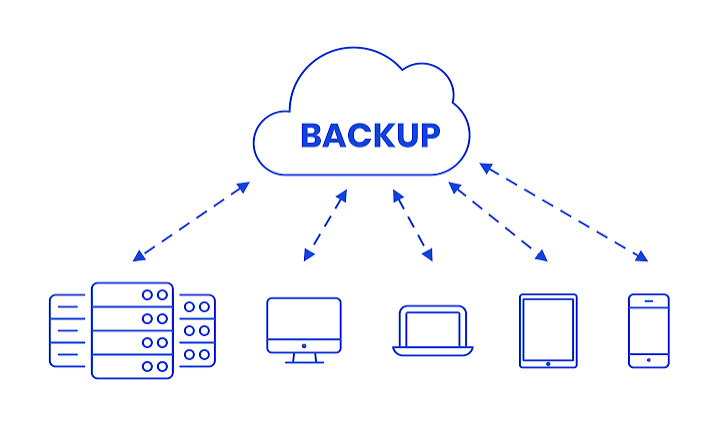
Cloud backup services provide a convenient way to protect digital information by storing additional copies of files, applications, databases and entire systems on remote cloud infrastructure. Unlike conventional external hard drives, cloud backup solutions allow users to protect information without depending entirely on physical storage devices. They can also automate backup schedules, maintain previous versions of files and support data recovery when the original device or system becomes unavailable.
India’s growing digital economy has increased the importance of reliable data protection. Businesses are increasingly adopting cloud infrastructure, while individuals are storing larger volumes of photographs, videos, documents and professional information online. Startups, financial institutions, healthcare organisations, educational institutions and large enterprises also require dependable backup arrangements to maintain business continuity and protect sensitive information.
Modern cloud backup platforms offer several capabilities, including automatic backups, encryption, incremental backups, version management, ransomware protection, disaster recovery, centralised administration and support for multiple operating systems. Some solutions are designed primarily for personal computers, while others provide advanced protection for enterprise servers, virtual machines, databases and cloud-based applications.
1. IDrive
IDrive is one of the most versatile cloud backup services available to Indian consumers, professionals and businesses. The platform provides a combination of online backup, cloud storage, device management and data recovery capabilities. Its broad compatibility makes it useful for individuals who operate multiple devices as well as organisations looking for a centralised approach to protecting digital information.
One of IDrive’s important features is its ability to back up multiple computers under a single account, depending on the selected subscription. This is particularly useful for households with several laptops and desktops or professionals who work across different devices. The service supports Windows, macOS and Linux environments, while its mobile applications provide backup and access capabilities for supported smartphones and tablets. Users can also protect external hard drives and compatible network-attached storage devices under eligible plans.
IDrive provides scheduled and continuous backup options. Scheduled backups allow users to select particular times for data protection, while continuous data protection monitors changes and uploads modified files automatically. This reduces the possibility of losing important information between scheduled backup sessions. Users can select specific folders and files rather than necessarily backing up an entire computer, making it possible to manage storage consumption according to individual requirements.
Another significant capability is file versioning. When documents are modified or overwritten, IDrive can retain earlier versions according to its versioning policies. This is useful when users accidentally delete information, overwrite important documents or need to retrieve an older version of a file. The platform also provides snapshots and recovery capabilities that can help users restore data following accidental changes or other data-loss incidents.
IDrive’s security features include encryption during data transfer and storage, alongside an optional private encryption key arrangement. Users choosing a private key must manage it carefully because losing access to the key can complicate or prevent recovery. Account security and access protection should also be strengthened through available authentication controls.
For businesses, IDrive offers additional solutions designed for endpoint protection, team management and server backup. These capabilities allow administrators to manage backups across multiple computers and users rather than depending on separate individual accounts. Depending on the selected product, organisations can also access reporting, administrative controls and centralised backup management.
IDrive is particularly suitable for Indian freelancers, small businesses, households and professionals who need to protect several devices without maintaining separate subscriptions for every computer. Its combination of file backup, external-drive protection, version history and multiple-device support makes it a comprehensive option for users with varied backup requirements. However, customers should examine storage limits, device allowances, renewal charges and the differences between personal and business subscriptions before selecting a plan.
2. Backblaze
Backblaze is a cloud backup and storage provider known for its relatively straightforward approach to protecting computer data. Its personal computer backup product is designed for individuals who want an automated backup system without spending considerable time selecting individual files and configuring complicated backup schedules.
Backblaze Computer Backup primarily supports Windows and macOS computers. Once installed and configured, the application can automatically identify eligible files and upload them to its cloud infrastructure. This makes it useful for people who regularly work with documents, photographs, videos, presentations and other digital material but do not want to manage manual uploads.
One of the platform’s major attractions is its unlimited backup model for eligible computers. Instead of requiring customers to calculate the storage capacity needed for every file before purchasing a subscription, the service offers a simpler per-computer arrangement. However, unlimited storage should not be confused with unlimited device coverage. Subscription conditions, external-drive requirements and retention policies still apply.
Backblaze continuously monitors changes to supported files and backs them up over the internet. This helps keep the cloud backup relatively current without requiring users to remember to initiate every backup manually. The service also supports external hard drives under specified conditions, allowing users to protect additional information stored outside their computer’s internal storage.
The restoration process is another important component. Users can access their backed-up files through their accounts and download the information they need. For larger recovery requirements, Backblaze offers physical restoration options in eligible circumstances. Such arrangements can be particularly useful when recovering a substantial collection of photographs, professional video files or business documents would otherwise require a lengthy internet download.
Backblaze also operates B2 Cloud Storage, an object-storage platform designed for developers, businesses and organisations. It can be used for storing application data, backups, archives and other digital information. Its object-storage model is different from the personal computer backup subscription and involves separate pricing and usage considerations.
For Indian customers, Backblaze can be useful for protecting computers containing important personal or professional information. Photographers, designers, independent professionals and small businesses with substantial file collections may find its automatic backup approach convenient. However, customers should examine international data transfer requirements, network speeds, retention conditions and the cost of retrieving large quantities of information.
Backblaze is best suited to users who prioritise uncomplicated computer backup rather than a comprehensive enterprise data-protection platform. Organisations requiring advanced server protection, centralised governance, complex disaster recovery or extensive application-level backup may need to consider a more specialised solution.
3. Acronis Cyber Protect
Acronis Cyber Protect combines data backup, recovery and cybersecurity capabilities within an integrated platform. It is designed for businesses and professionals that want to protect their systems against both conventional technical failures and increasingly sophisticated cyber threats.
One of Acronis’s major strengths is its support for different types of backup. Depending on the product and licence, organisations can protect individual files, folders, entire computers, servers, virtual machines and selected cloud workloads. This flexibility makes the platform suitable for businesses that operate a combination of physical infrastructure and cloud-based systems.
Acronis provides image-based backup capabilities that allow users to create copies of entire systems rather than protecting only individual documents. This can be important when a computer or server experiences a major failure. Instead of reinstalling the operating system, applications and settings separately, administrators can use an available system image to restore the machine.
The platform also offers scheduled and continuous backup options, allowing organisations to determine how frequently their information should be protected. Incremental backup capabilities help reduce unnecessary data transfers by concentrating on changes made after an earlier backup. Depending on the configuration, businesses can also use local storage, network storage and cloud destinations.
Cybersecurity is an important part of the Acronis offering. Its integrated protection capabilities can include malware detection, ransomware protection, vulnerability assessment and other endpoint security features, depending on the subscription. Combining these functions with backup management can make it easier for organisations to coordinate their data-protection and security operations.
Acronis also provides centralised administration for organisations managing multiple devices. IT teams can monitor protection status, configure backup policies and manage recovery operations through a central management interface. This is particularly useful for small and medium-sized enterprises that have limited technical resources but still need structured data-protection arrangements.
Another useful capability is disaster recovery. Businesses can prepare recovery environments for supported systems and workloads so that operations can resume when the original infrastructure becomes unavailable. The exact recovery options depend on the product, deployment model and subscription.
For Indian businesses, Acronis Cyber Protect can be considered by professional service providers, IT companies, financial organisations, healthcare businesses and enterprises managing sensitive operational information. It is also relevant to managed service providers that offer backup and security services to multiple customers.
The platform requires careful configuration because its extensive capabilities can be more complicated than those of a basic personal backup application. Organisations should evaluate licensing, storage consumption, supported workloads, recovery objectives and the availability of suitable local implementation partners before deployment.
4. Veeam Data Platform
Veeam is a well-established name in enterprise backup, data recovery and disaster recovery. Its solutions are particularly relevant to organisations that operate complex IT infrastructure involving virtual machines, physical servers, cloud platforms, databases and business-critical applications.
The Veeam Data Platform provides a range of data-protection capabilities intended to help businesses maintain recoverable copies of important information. It supports different infrastructure environments, allowing organisations to manage backup requirements across on-premises systems and cloud-based workloads.
One of Veeam’s major capabilities is backup and recovery for virtualised infrastructure. Businesses using virtual machines can create recoverable copies of their workloads and restore individual files, applications or entire virtual machines when required. This is important for organisations that depend on virtualised servers to operate customer-facing applications, internal databases and business software.
Veeam also supports protection for physical workloads and cloud environments through its wider product portfolio. Organisations can develop backup arrangements for Microsoft environments, public cloud infrastructure and other supported systems. The exact workload coverage depends on the product edition and licensing arrangement.
Data immutability is another important element of modern Veeam deployments. Immutable backup storage helps prevent protected copies from being modified or deleted during a specified retention period. This is particularly valuable when organisations face ransomware attacks in which cybercriminals attempt to encrypt production data and destroy available backups.
Veeam’s recovery capabilities include granular file-level recovery and restoration of larger workloads. Administrators can retrieve selected files without necessarily restoring an entire server. For critical applications, recovery planning can also include procedures intended to reduce downtime and restore business operations within defined recovery objectives.
The platform provides centralised management and monitoring features that allow IT teams to oversee backup jobs, review protection status and identify potential problems. Reporting and policy-management capabilities are particularly useful for organisations managing large infrastructure environments.
Veeam is also relevant to businesses adopting hybrid cloud strategies. Rather than depending exclusively on one infrastructure environment, organisations can coordinate protection across different platforms according to their operational requirements.
In India, Veeam is suitable for enterprises, technology companies, financial institutions, educational organisations, data centres and managed service providers. It can be especially valuable where downtime could disrupt essential business operations or affect large volumes of customer information.
However, Veeam is not necessarily the simplest or most economical choice for an individual seeking to back up a single laptop. Its enterprise-oriented capabilities require proper implementation, infrastructure planning and administrative expertise. Organisations should evaluate workload licensing, storage costs, support arrangements and recovery requirements before adopting the platform.
5. Druva Data Resiliency Cloud
Druva is a cloud-native data protection and cyber resilience provider that helps organisations secure information across endpoints, applications, cloud infrastructure and enterprise environments. Its platform is designed to simplify backup management while reducing the need for businesses to maintain extensive backup infrastructure themselves.
One of Druva’s defining characteristics is its cloud-native operating model. Instead of requiring every organisation to build and maintain a separate collection of backup servers and appliances, the platform provides centrally managed data-protection services through cloud infrastructure. This can reduce operational complexity for businesses that want to modernise their backup arrangements.
Druva supports several enterprise workloads, including endpoint devices, virtual machines, cloud infrastructure and selected SaaS applications. Its broader portfolio also addresses data protection for business applications such as Microsoft 365 and Google Workspace, subject to product availability and licensing.
This application-level protection is particularly important because cloud-based productivity platforms do not automatically eliminate every data-loss risk. Accidental deletion, malicious activity, compromised accounts and retention-policy mistakes can affect business information. An independent backup layer can provide additional recovery options.
Druva provides automated backup management, centralised monitoring and recovery capabilities. Administrators can establish protection policies and manage different workloads through a unified interface. This is useful for enterprises with employees working from multiple locations and accessing business information through different devices and applications.
Security and ransomware resilience are central elements of the platform. Its capabilities can include immutable backup copies, access controls, encryption, threat monitoring and recovery support. These features help organisations protect backup data against unauthorised changes and improve their ability to recover after security incidents.
Another advantage is the platform’s ability to support distributed organisations. Businesses with employees, offices and infrastructure spread across different locations can manage data protection through a centralised service instead of depending entirely on individual office-level backup systems.
Druva is particularly relevant to Indian enterprises operating in banking, financial services, healthcare, information technology, professional services and other sectors where data protection is closely connected to operational continuity and regulatory obligations.
Organisations should nevertheless evaluate data residency, contractual terms, supported cloud regions, application-specific retention, restoration procedures and total subscription costs. Businesses with strict requirements concerning where backup information must be stored should confirm the applicable deployment and storage arrangements before signing an agreement.
6. AWS Backup
AWS Backup is a managed backup service within Amazon Web Services that allows organisations to centralise and automate the protection of supported AWS resources. It is particularly useful for businesses that already operate applications, databases and infrastructure on Amazon’s cloud platform.
The service allows administrators to create backup policies and schedules for supported AWS workloads. Instead of configuring every backup process independently, organisations can use centralised backup plans to determine when information should be protected, how frequently backups should be created and how long recovery points should be retained.
AWS Backup supports a range of services and resources within the AWS ecosystem. Depending on the resource type and regional availability, this can include Amazon Elastic Compute Cloud instances, Amazon Elastic Block Store volumes, Amazon Relational Database Service databases, Amazon DynamoDB tables, Amazon Elastic File System and other supported services.
One of its important features is policy-based automation. Administrators can create backup plans and assign them to selected resources. This helps reduce the possibility of critical infrastructure being left without an appropriate backup schedule. Businesses can also organise backup policies according to departments, applications or operational importance.
AWS Backup provides centralised monitoring and management of backup activities. Administrators can review backup jobs, monitor recovery points and manage retention policies. The platform also supports lifecycle management, allowing eligible backups to move between supported storage tiers according to configured rules.
Security is another important consideration. AWS provides access controls through its identity and permissions framework, encryption capabilities and options for protecting backup copies. AWS Backup also supports logically air-gapped backup capabilities for eligible configurations, helping organisations strengthen protection against destructive incidents.
For businesses operating in AWS environments, the service can simplify backup administration because it integrates with the wider cloud ecosystem. It is particularly useful for startups, software companies, e-commerce platforms and enterprises that run customer applications and databases on AWS.
Indian organisations can also evaluate AWS infrastructure regions and applicable storage-location options when designing their backup arrangements. However, customers should not assume that every backup is automatically stored in India simply because their application operates in an Indian AWS region. The selected region, destination and configuration must be checked carefully.
AWS Backup is not a universal replacement for every type of computer or SaaS backup. It is primarily relevant to supported AWS resources, and customers should examine service-specific limitations, cross-region requirements, retrieval charges and storage costs. Organisations using multiple cloud providers may require additional tools to manage protection across their entire infrastructure.
7. Microsoft Azure Backup
Microsoft Azure Backup is a cloud-based data-protection service designed to protect supported workloads operating within Microsoft Azure and compatible on-premises environments. It is particularly relevant to organisations that already depend on Microsoft infrastructure, Windows servers and Azure-hosted applications.
The service allows organisations to create and manage backups through Azure’s management environment. Businesses can protect supported Azure virtual machines, files, workloads and selected on-premises systems using centrally managed backup policies.
Azure Backup offers scheduled backup capabilities that allow administrators to define backup frequency and retention periods. Organisations can create policies according to their recovery requirements, helping them maintain recoverable copies of business information over time.
For virtual machines, the service provides backup and restoration capabilities that can help organisations recover systems following accidental deletion, technical failure or other incidents. Depending on the workload and configuration, administrators can restore complete machines or retrieve specific information.
Another important feature is support for hybrid environments. Many Indian businesses continue to operate a combination of on-premises servers and cloud infrastructure. Azure Backup can help protect supported local workloads through the relevant backup agents and management components, reducing the need to maintain entirely separate backup arrangements.
Microsoft provides security controls for backup data, including encryption and access management. Azure Backup also offers features designed to strengthen protection against accidental deletion and malicious interference. Soft delete and other security capabilities can help organisations retain recovery options when backup information is inadvertently or deliberately removed.
The service integrates with the broader Azure ecosystem, making it useful for IT administrators who already use Azure management tools, identity services and monitoring capabilities. Businesses can also coordinate backup arrangements with their wider disaster recovery strategies.
Azure Backup is suitable for Indian enterprises, government-related organisations, educational institutions, software companies and businesses that rely on Microsoft-based infrastructure. It can also support organisations transitioning from traditional physical servers to hybrid cloud environments.
However, Azure Backup charges depend on protected instances, storage consumption, redundancy settings, retention periods and other factors. Businesses should calculate the complete cost rather than considering only the initial storage requirement. They should also verify the supported workload, recovery region and data-location requirements before implementing the service.
8. CrashPlan
CrashPlan is a cloud backup service focused on protecting computers and business endpoint data. It is particularly useful for small businesses, professional teams and organisations that want to maintain continuous backups of information stored on employee computers.
The service is designed to reduce dependence on manual backup procedures. Once installed, its software can automatically back up eligible files according to configured settings. This is useful for employees who regularly create or modify documents, spreadsheets, presentations, design files and other professional information.
Continuous backup is one of CrashPlan’s important capabilities. Changes to supported files can be uploaded automatically, helping organisations maintain relatively current copies of their important information. Administrators can configure backup settings according to organisational policies and data-protection requirements.
File versioning is another useful feature. It allows organisations to retain earlier versions of documents rather than depending exclusively on the latest modified copy. This can help employees recover information after accidental overwriting or unwanted changes.
CrashPlan also offers administrative capabilities for businesses. Depending on the subscription, organisations can manage multiple endpoints, monitor backup status and establish retention policies. This is particularly valuable for companies with employees working remotely or using laptops outside conventional office environments.
The platform’s device migration and recovery capabilities can also help organisations manage employee departures, computer replacements and hardware failures. Rather than treating every lost or replaced computer as an entirely new backup problem, administrators can use available recovery and migration procedures to retrieve important business information.
CrashPlan is suitable for Indian startups, consulting firms, creative agencies, remote-working businesses and smaller organisations that primarily need reliable endpoint backup. Its relatively focused approach can make it easier to deploy than large enterprise data-protection platforms.
However, businesses should understand the distinction between endpoint backup and comprehensive infrastructure protection. CrashPlan should not automatically be considered a complete replacement for specialised database, virtual-machine, Microsoft 365 or enterprise disaster-recovery solutions. Customers should also examine deleted-file retention, storage conditions, supported operating systems and subscription requirements before choosing a plan.
9. Carbonite
Carbonite is a cloud backup provider offering solutions for individuals and businesses that want to protect computer files and important digital information. Its services are designed around automated backup, helping users maintain additional copies of their information without continuously managing manual file transfers.
Carbonite’s computer backup solutions are particularly relevant to Windows and Mac users. Depending on the selected subscription, users can protect documents, photographs, videos and other eligible files through an automated backup process.
One of the platform’s key features is its straightforward backup approach. Users can install the application, configure their backup preferences and allow the service to upload eligible information to the cloud. This can be convenient for individuals and small businesses that do not have dedicated IT teams.
Carbonite offers different subscription levels, with features and storage arrangements varying by product. Certain plans provide unlimited backup for an eligible computer, while higher-tier options can include additional capabilities such as external-drive backup and other recovery-related services. Customers should carefully review the plan conditions rather than assuming that every subscription includes identical protection.
File restoration is an important part of the service. Users can retrieve backed-up information when a computer experiences hardware failure, files are accidentally deleted or the original device becomes unavailable. This can be particularly valuable for professionals who store important business documents and customer-related information on their computers.
Business-oriented Carbonite products offer additional administrative and data-protection capabilities. Depending on the product, businesses can access features designed for server protection, centralised administration and recovery management.
Carbonite can be considered by Indian professionals, freelancers, small offices and businesses that want a relatively uncomplicated backup solution. It is particularly relevant for users whose primary requirement is protecting computer files rather than managing a complex multi-cloud infrastructure.
Before subscribing, Indian customers should check international payment arrangements, currency conversion, applicable taxes, renewal pricing, supported operating systems and data-retention conditions. Businesses with large storage requirements should also evaluate upload speeds and recovery time.
Carbonite is best viewed as a focused computer and business backup option. Organisations with extensive virtual infrastructure, cloud databases or complex compliance requirements may need a more comprehensive platform.
10. Google Cloud Backup and Disaster Recovery
Google Cloud Backup and Disaster Recovery provides backup and recovery capabilities for organisations operating workloads on Google Cloud and supported infrastructure environments. It is designed primarily for businesses that need to protect applications, databases and enterprise workloads rather than simply store personal documents online.
The platform helps organisations establish backup policies and manage recovery operations for supported workloads. Businesses can protect critical information and maintain recoverable copies that can be used following infrastructure failures, accidental deletion or other operational disruptions.
Google Cloud’s backup and disaster recovery capabilities are relevant to organisations that operate virtual machines, enterprise applications and other supported workloads. Administrators can manage backup arrangements through Google Cloud’s management environment and configure policies according to operational requirements.
Automation is an important part of the service. Businesses can establish schedules and retention arrangements to reduce dependence on manual backup operations. This is particularly useful for organisations managing applications that generate information continuously or require regular protection.
The platform also supports disaster recovery planning. Organisations can prepare recovery arrangements for critical workloads and define procedures for restoring systems when the original infrastructure becomes unavailable. Depending on the workload and configuration, recovery can involve restoring data, applications or larger infrastructure components.
Security and access management are also important elements. Google Cloud provides encryption capabilities, identity and access controls, monitoring and other infrastructure security features. Organisations can use these capabilities alongside their backup policies to establish a more structured data-protection environment.
Google Cloud’s wider infrastructure can be useful for businesses operating applications across cloud environments and requiring scalable storage and recovery capabilities. Indian technology companies, digital businesses, software developers and enterprises can evaluate the service when building cloud-native backup strategies.
However, organisations should distinguish between backup storage and a complete disaster recovery arrangement. A recoverable copy of data does not automatically guarantee that an application can resume operations immediately. Businesses must consider infrastructure dependencies, network availability, application restoration, recovery time objectives and recovery point objectives.
The service is most appropriate for organisations with Google Cloud workloads and technical teams capable of managing cloud infrastructure. Customers should evaluate supported workloads, regional availability, storage charges, data-transfer costs and the overall cost of restoring large datasets before deployment.