
Top 10 Best Business Password Managers in India in 2027
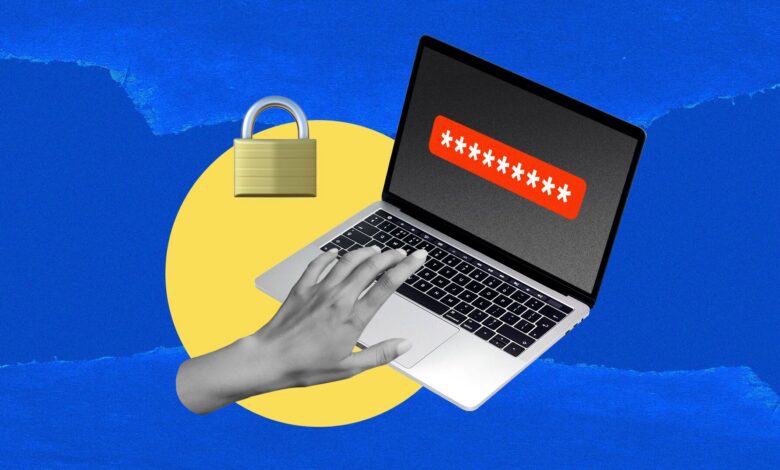
Businesses across India continue to face rising cyber risks as digital operations expand through cloud tools, remote teams, UPI-linked services, banking portals, and SaaS platforms. Strong credential management has become essential for protecting company accounts, client data, and internal systems. A reliable business password manager helps generate unique strong passwords, store them securely, enable controlled sharing among teams, enforce policies, support single sign-on, and provide audit logs so administrators can track access and remove privileges when employees leave.
The tools listed below stand out for their security architecture, collaboration features, administrative controls, cross-platform support, and suitability for Indian organizations of varying sizes, from startups and SMEs to larger enterprises. Each offers zero-knowledge encryption so that even the provider cannot access the stored credentials, along with features designed for team workflows.
1. Bitwarden
Bitwarden delivers an open-source foundation combined with robust business capabilities that appeal strongly to Indian companies seeking transparency and cost efficiency. Its core uses AES-256 encryption with PBKDF2 or Argon2 key derivation, and the entire codebase remains publicly available for independent review and third-party audits. Organizations can choose cloud hosting or self-host the solution on their own infrastructure, which supports data residency preferences common in regulated sectors. Teams and Enterprise plans add shared collections for controlled credential distribution, directory synchronization, SCIM provisioning, and custom policies that enforce master password strength, two-factor authentication requirements, and session timeouts.
Administrators gain detailed event logs covering dozens of activity types, allowing precise tracking of who accessed or shared which items. Autofill works reliably across major browsers and mobile apps, including many Indian banking and UPI interfaces. Passkey support, secure notes, file attachments, and emergency access further enhance utility. Pricing remains among the most accessible for business use, with Teams starting at a low per-user monthly rate billed annually and Enterprise adding SSO options through popular identity providers.
The free personal tier and free two-person plan help teams trial the platform before full rollout. Cross-platform apps cover Windows, macOS, Linux, Android, iOS, and browser extensions, making deployment straightforward for mixed-device environments typical in Indian offices and remote setups. Bitwarden also integrates with common productivity suites and supports TOTP codes for two-factor authentication stored alongside passwords.
2. 1Password
1Password focuses on polished usability and strong administrative oversight that encourages high adoption rates among non-technical staff. Its security model combines AES-256-GCM encryption with a unique Secret Key generated during account creation, creating an extra layer beyond the master password so that servers never hold enough information to decrypt vaults. Business plans provide individual employee vaults alongside shared team vaults, guest access for external collaborators, and fine-grained permissions that separate viewing from copying credentials. Watchtower continuously monitors for weak, reused, or breached passwords and alerts administrators.
Travel Mode temporarily removes sensitive items from devices when employees travel, which proves useful for teams with frequent domestic or international movement. Developer-oriented features include secure storage and signing for SSH keys and Git commits. SSO and SCIM provisioning connect smoothly with major identity platforms, while device trust and recovery options reduce help-desk tickets when master passwords are forgotten. The interface remains consistent and intuitive across desktop, mobile, and browser clients, supporting rapid onboarding. Passkey management, secure document storage, and family plan benefits for employees add further value.
Business pricing follows a per-user model with annual discounts, and a Teams Starter option suits smaller groups. Compatibility spans all major operating systems and browsers, with reliable autofill that adapts well to varied website designs encountered in Indian enterprise software and government portals. Detailed activity reports and policy enforcement tools give security teams the visibility needed to maintain compliance.
3. Keeper
Keeper emphasizes enterprise-grade controls and compliance readiness that suit organizations handling sensitive data or operating in regulated industries. Zero-knowledge architecture protects every vault with AES-256 encryption and elliptic-curve cryptography, while folders and subfolders create clear organizational structures for shared credentials. Role-based access controls allow granular assignment of permissions, and delegated administration lets different teams manage their own folders without full system access. BreachWatch scans for compromised credentials, and detailed audit logs record more than two hundred event types for thorough reporting.
Optional modules extend into privileged access management, session recording, and secure file storage, enabling a single platform approach for both standard passwords and higher-risk secrets. SSO, SCIM, and directory integration streamline user lifecycle management. Passkey support and biometric unlock options improve daily convenience without weakening security. The admin console provides policy templates that enforce two-factor authentication, password complexity, and automatic rotation reminders.
Mobile and desktop applications maintain feature parity, and browser extensions deliver consistent autofill. Pricing starts competitively for business starter packs with minimum user requirements and scales into enterprise quotes that include advanced compliance certifications. Keeper’s focus on reporting and governance helps Indian companies prepare for audits and demonstrate due diligence around credential security.
4. NordPass
NordPass combines modern cryptography with straightforward deployment that works well for small and mid-sized Indian businesses seeking quick implementation. It employs XChaCha20 encryption paired with Argon2id key derivation for strong protection against brute-force attacks. Shared folders enable secure credential distribution among teams, while an admin panel offers activity logs, user management, and basic policy settings. Breach monitoring alerts users when stored credentials appear in known data leaks. The interface prioritizes simplicity so that employees can begin using the tool with minimal training.
Business and Enterprise tiers add SSO options, with Google Workspace integration available at lower levels and broader identity provider support at higher tiers. Autofill performs reliably across browsers and mobile platforms, and passkey storage is supported. Secure notes, credit card storage, and password health reports round out the feature set. Pricing remains competitive, with Teams and Business plans offered at accessible per-user rates that often include introductory discounts.
Cross-platform coverage includes Windows, macOS, Linux, Android, iOS, and popular browser extensions. NordPass suits organizations that value clean design and rapid rollout while still requiring core sharing, monitoring, and administrative capabilities suitable for growing Indian teams.
5. Zoho Vault
Zoho Vault stands out as an India-origin solution tightly integrated with the broader Zoho ecosystem, making it a natural fit for companies already using Zoho applications. It provides secure password storage, fine-grained sharing with role privileges, and access controls that align with organizational hierarchies. Administrators can set policies for password strength, session duration, and two-factor authentication requirements. Activity logs and reports give visibility into credential usage. SSO and directory integration support efficient user onboarding and offboarding.
The platform stores passwords, notes, and other sensitive items under strong encryption, and sharing can be limited by time or permissions. Autofill works across browsers, and mobile apps extend access to smartphones and tablets commonly used by field teams. Pricing starts at a notably low per-user monthly rate for the Standard plan, with Professional tiers adding advanced features such as user groups. Because Zoho maintains significant presence and support infrastructure in India, response times and localization considerations often favor local customers.
The tool works well both as a standalone password manager and as part of a wider Zoho suite deployment covering CRM, email, and collaboration needs. Passkey support and secure sharing mechanisms further enhance its relevance for modern business workflows.
6. Dashlane
Dashlane delivers a feature-rich experience centered on usability, password health insights, and proactive monitoring. Its zero-knowledge design protects vaults with strong encryption, while the password health dashboard scores overall security and highlights weak or reused credentials for remediation. Dark web monitoring continuously checks whether any stored logins have appeared in breaches. Business plans include shared spaces that keep personal and work credentials separated, role-based permissions, and administrative controls for policy enforcement. SSO and SCIM provisioning simplify large-scale deployment.
Autofill remains consistent across devices, and passkey support is available. Additional conveniences such as a built-in VPN option on certain plans and encrypted file storage expand utility beyond basic password management. The interface guides users through setup and daily use, reducing friction for teams transitioning from spreadsheets or browser-saved passwords. Pricing follows a per-user model with annual billing, and enterprise options offer volume considerations.
Cross-platform apps and browser extensions cover the environments most Indian businesses employ. Dashlane’s combination of monitoring tools and clean design helps organizations improve credential hygiene systematically while maintaining control over shared access.
7. LastPass
LastPass continues to serve business teams with mature sharing capabilities, admin dashboards, and policy tools refined over many years. Shared folders allow controlled distribution of credentials, and granular permissions determine who can view or edit items. The admin console supports user management, reporting, and enforcement of security policies such as mandatory two-factor authentication and password complexity rules. SSO options and directory integration help larger organizations manage scale.
Password generation, autofill, and secure notes form the core daily experience, with dark web monitoring available on higher tiers. Business and Enterprise plans differentiate features around advanced reporting and support. Cross-platform clients ensure access from desktops, mobiles, and browsers. While the platform has evolved its security posture, it remains a familiar choice for many teams already familiar with its interface. Pricing is structured per user with different tiers for teams versus full business deployments. The tool’s long presence in the market means extensive documentation and community knowledge that can accelerate adoption in Indian companies seeking established solutions.
8. RoboForm
RoboForm focuses on reliable autofill performance and straightforward business administration that appeal to budget-conscious teams. Its password manager generates strong unique credentials, stores them securely, and fills forms accurately across a wide range of websites, including complex multi-step login processes. Shared folders and user roles support collaboration, while the admin console provides oversight of team accounts and basic policy settings. SSO and SCIM capabilities are included in business plans, lowering the total cost of ownership for organizations that need automated provisioning.
Secure notes, identities, and bookmarks expand the utility of each vault. Cross-platform support covers major operating systems and browsers, with desktop applications that many users find particularly responsive. Pricing remains competitive at a modest per-user monthly rate that includes core business features. RoboForm’s emphasis on autofill accuracy and simple sharing makes it practical for teams that interact daily with numerous web applications and internal portals common in Indian business environments.
9. Proton Pass
Proton Pass brings a privacy-first approach rooted in the same organizational values that guide Proton’s email and VPN services. Zero-knowledge encryption protects every item, and the platform operates under strong data protection principles. Business plans support shared vaults, user management, and administrative policies. Unique features include hide-my-email aliases that generate disposable addresses for account creation, reducing exposure of primary work emails. Passkey support, TOTP storage, and secure notes are standard.
The interface remains clean and focused, encouraging consistent use. Pricing starts accessibly for professional teams and scales with additional seats. Cross-platform availability includes browser extensions and mobile apps. For Indian organizations prioritizing metadata privacy and minimizing data footprint, Proton Pass offers a compelling alternative that still delivers essential sharing and control features required for business operations.
10. Passbolt
Passbolt provides an open-source, self-hostable password manager designed specifically for team collaboration and full data control. Organizations can run the community edition on their own servers at no license cost or opt for professional support and advanced features. OpenPGP encryption ensures that even the administrators of the hosting environment cannot read vault contents. Sharing occurs through clear permission models, and role-based access supports different levels of responsibility within teams. Audit capabilities and integration options help security teams maintain oversight.
The web-based interface works across browsers, with mobile clients available. Because the solution can be fully self-hosted, it addresses data residency and sovereignty concerns important to many Indian enterprises and government-linked organizations. Professional editions add enterprise-grade features such as advanced user management and priority support. Passbolt suits technical teams that prefer to keep sensitive credentials entirely within their own infrastructure while still enabling efficient, secure sharing among colleagues.
These password managers equip Indian businesses with the tools needed to move beyond weak or reused passwords and establish structured, auditable credential practices. Selecting the right solution depends on factors such as team size, existing identity infrastructure, budget, self-hosting requirements, and the need for advanced compliance reporting. Implementing any of these platforms, combined with mandatory multi-factor authentication and regular access reviews, significantly strengthens an organization’s overall security posture in an increasingly digital operating environment.