

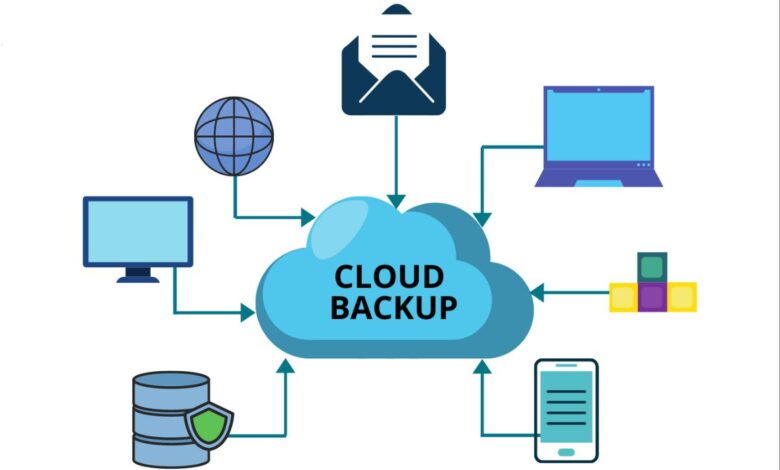
Data protection has evolved from a technical afterthought into a critical business imperative in 2026. With cyber threats growing more sophisticated by the day and regulatory compliance requirements tightening across industries, organizations of all sizes recognize that robust backup strategies are no longer optional. The rise of ransomware attacks, which can encrypt entire networks within minutes, has made reliable cloud backup solutions essential for business continuity and survival.
Modern cloud backup solutions have matured significantly beyond simple file copying. Today’s platforms integrate artificial intelligence for threat detection, offer immutable storage to prevent tampering, provide instant recovery capabilities that minimize downtime, and deliver comprehensive protection across hybrid environments spanning on-premises infrastructure and multiple cloud platforms. The distinction between cloud backup and cloud storage has become clearer as well. While services like Google Drive and Dropbox focus primarily on file synchronization and sharing, true cloud backup solutions emphasize long-term data preservation, disaster recovery, and the ability to restore entire systems after catastrophic failures.
The challenge for businesses and individuals alike is navigating an increasingly crowded marketplace to identify solutions that truly meet their specific requirements. Some organizations need enterprise-grade platforms capable of protecting thousands of virtual machines across global data centers, while others simply want reliable, affordable backup for a handful of computers. This comprehensive guide examines the top ten cloud backup solutions in 2026, analyzing their strengths, ideal use cases, and what makes each one stand out in this competitive landscape.
1. IDrive: The Complete Cloud Backup Solution
IDrive consistently earns recognition as the best overall cloud backup service available in 2026, and for good reason. The platform delivers an exceptional combination of backup and cloud storage features that make it suitable for both individual users and businesses managing multiple devices. What distinguishes IDrive is its comprehensive approach that goes beyond simple backup to include file syncing, sharing capabilities, and even the ability to back up data to a local drive simultaneously with cloud uploads.
The service supports virtually every device and platform imaginable, including Windows, Mac, Linux, iOS, and Android. Notably, IDrive even maintains support for Windows Phone, a rarity in today’s market that demonstrates the company’s commitment to comprehensive coverage. This universal compatibility makes IDrive particularly valuable for households and businesses with diverse technology ecosystems where people use different devices and operating systems.
IDrive’s personal plans offer tremendous value, providing five terabytes of storage for approximately seventy dollars annually or ten terabytes for about one hundred dollars yearly. These plans cover unlimited computers and devices for a single user, eliminating the need to choose which devices receive backup protection. Business plans scale up to fifty users, starting at around one hundred dollars annually for five users, making enterprise-grade backup accessible even to small organizations.
The platform’s approach to file versioning ensures that users can recover from mistakes made days, weeks, or even months ago. IDrive retains previous versions of files for extended periods, allowing you to restore the exact version you need rather than being stuck with only the most recent backup. This archiving capability proves invaluable when dealing with gradual file corruption or when you realize weeks later that an important document was accidentally modified or deleted.
2. Backblaze: Simplicity Meets Unlimited Storage
Backblaze has built its reputation on delivering straightforward, affordable cloud backup with unlimited storage capacity. If you struggle with determining what files to back up or where they’re located, or if you simply want protection without complexity, Backblaze represents the ideal solution. The service’s defining characteristic is its simplicity combined with truly unlimited backup for a single computer at just nine dollars monthly.
After installing Backblaze, the software automatically backs up your entire computer, continuously monitoring for changes and uploading new or modified files without requiring any configuration or intervention. This set-it-and-forget-it approach eliminates the common problem of users forgetting to run backups or misconfiguring backup selections that leave critical data unprotected. Everything on your computer receives protection by default, including system files, applications, and all your personal documents, photos, and media.
The unlimited storage model removes the anxiety of calculating how much space you need or facing unexpected overage charges. Whether you have fifty gigabytes or five terabytes of data, the price remains constant. This predictability makes budgeting simple and eliminates the need to constantly monitor storage consumption. For photographers, videographers, and other professionals who work with large media files, this unlimited approach provides tremendous peace of mind.
Backblaze also excels at user management features for businesses, allowing administrators to easily manage multiple accounts and monitor backup status across the organization. The service’s straightforward pricing extends to its business offerings, maintaining the same transparent, per-computer model that makes cost calculations simple. Recovery options include standard download of files, expedited recovery via USB drive shipped to your location, and even hard drive shipment for massive data restores where downloading would take days or weeks.
3. Veeam Data Platform: Enterprise-Grade Data Resilience
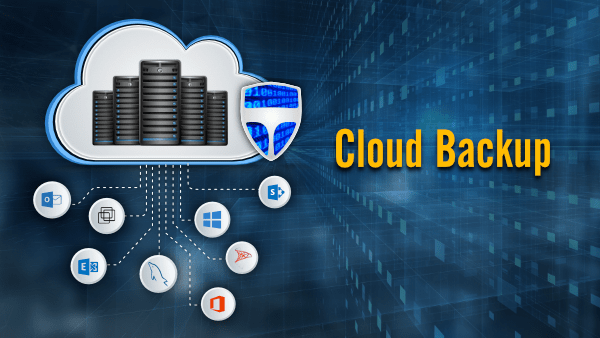
Veeam has established itself as the undisputed leader in enterprise backup and recovery, serving over 450,000 customers worldwide including 81 percent of Fortune 500 companies and 66 percent of the Global 2000. The Veeam Data Platform provides comprehensive data protection across cloud, virtual, physical, SaaS, and Kubernetes environments, making it ideal for organizations operating complex, hybrid IT infrastructures.
What makes Veeam particularly powerful is its unified approach to protecting diverse workloads from a single platform. Organizations can backup virtual machines running on VMware, Hyper-V, or other hypervisors, physical servers, cloud workloads in AWS, Azure, or Google Cloud, SaaS applications like Microsoft 365, and modern containerized applications in Kubernetes clusters. This comprehensive coverage eliminates the complexity and overhead of managing multiple specialized backup tools.
Veeam’s instant VM recovery capability stands out as a game-changing feature that dramatically reduces downtime during disaster recovery scenarios. Rather than waiting hours or days to restore an entire virtual machine from backup before it can be powered on, Veeam enables administrators to run VMs directly from backup storage within minutes. This means critical applications can be back online almost immediately while the full restoration completes in the background.
The platform’s approach to ransomware protection reflects the current threat landscape. Veeam employs multi-layered malware detection that catches threats before, during, and after backups are created. The software integrates with leading security tools and provides immutable backup repositories that prevent attackers from encrypting or deleting backup data even if they compromise administrative credentials. When ransomware strikes, Veeam’s clean recovery features help identify the last clean restore point before infection, enabling confident recovery without reintroducing malware.
According to Gartner Peer Insights reviews updated through January 2026, Veeam maintains a rating of 4.6 stars based on over 1,800 verified reviews, with users consistently praising its simplicity, reliability, and fast recovery capabilities compared to alternatives. The Veeam Software Appliance introduced in 2025 further simplified deployment by delivering a pre-configured, hardened Linux-based solution that eliminates most patching and configuration complexity.
4. Acronis Cyber Protect: Integrated Backup and Security
Acronis Cyber Protect takes a revolutionary approach by integrating data protection with comprehensive cybersecurity into a single platform. Rather than treating backup and security as separate concerns requiring different tools, Acronis recognizes that modern threats demand an integrated defense. This unified platform protects against both data loss and cyberattacks simultaneously, reducing complexity while improving overall protection effectiveness.
The platform’s full-image backup capability captures entire systems including operating systems, applications, and all stored files. This comprehensive approach enables complete system restoration, even to dissimilar hardware, making recovery from catastrophic hardware failures straightforward. Organizations can restore a failed server to completely different hardware without spending days reinstalling and reconfiguring software.
Acronis employs AI-powered threat detection that continuously monitors backup data for signs of malware, ransomware, and suspicious activity. The platform’s machine learning models identify anomalies that might indicate an attack in progress, enabling early intervention before significant damage occurs. When threats are detected, Acronis automatically creates additional recovery points, ensuring clean restoration options remain available even if attackers compromise recent backups.
The dual protection feature maintains both local and cloud copies of backup data automatically, implementing the redundancy that backup best practices recommend. Local copies enable fast recovery for routine situations like accidental file deletion, while cloud copies protect against site-wide disasters like fires or floods. This balanced approach optimizes both recovery speed and disaster protection.
With a Gartner Peer Insights rating of 4.5 stars based on over 340 reviews as of January 2026, Acronis users particularly appreciate the integrated approach that eliminates the need to purchase, deploy, and manage separate backup and security solutions. The platform’s user-friendly interface contrasts favorably with more complex enterprise solutions, making it accessible to organizations without dedicated backup administrators.
5. Commvault Cloud: Comprehensive Enterprise Platform
Commvault Cloud represents one of the most mature and feature-rich enterprise backup platforms available, with capabilities that span backup, recovery, and cost-optimized cloud workload mobility across multiple environments. According to PeerSpot data from January 2026, Commvault holds 6.8 percent mindshare in the cloud backup category, serving large enterprises that require broad workload coverage and strict governance capabilities.
The platform’s strength lies in its comprehensive approach to protecting virtually any workload across any environment. Commvault supports traditional data centers, public clouds including AWS, Azure, and Google Cloud, private clouds, SaaS applications, databases, endpoints, and containers. This universal coverage makes it possible to protect an organization’s entire data estate through a single platform with consistent policies and unified reporting.
Commvault’s intelligent indexing and search capabilities enable granular, point-in-time recoveries ranging from individual files to entire virtual environments without requiring full restore cycles. Administrators can locate specific files across petabytes of backup data in seconds and restore precisely what’s needed. This granularity proves invaluable for responding to legal discovery requests or recovering from surgical data corruption that affects specific files or database records.
The platform’s deduplication and compression engine minimizes backup storage footprints without sacrificing recovery performance. Organizations commonly see storage reductions of 90 percent or more compared to backing up uncompressed data, translating directly into significant cost savings especially when storing backups in cloud environments where storage charges accumulate based on capacity consumed.
The tradeoff for this comprehensive functionality is complexity. Commvault’s vast feature set typically requires skilled backup administrators and careful configuration to optimize performance and avoid policy conflicts. Deployment time tends to be longer compared to simpler solutions, and organizations should budget for training and potentially consulting services. However, for enterprises needing to protect diverse, global IT environments under stringent compliance requirements, Commvault’s capabilities justify the investment in both licensing and expertise.
6. pCloud: Lifetime Cloud Storage Value
pCloud distinguishes itself through lifetime storage plans that eliminate recurring subscription fees, making it an attractive option for individuals and small businesses seeking long-term backup solutions without ongoing costs. As of January 2026, pCloud’s ten terabyte lifetime plan is available at a significant discount for approximately $1,190, representing exceptional value for anyone planning to use cloud storage for four years or more.
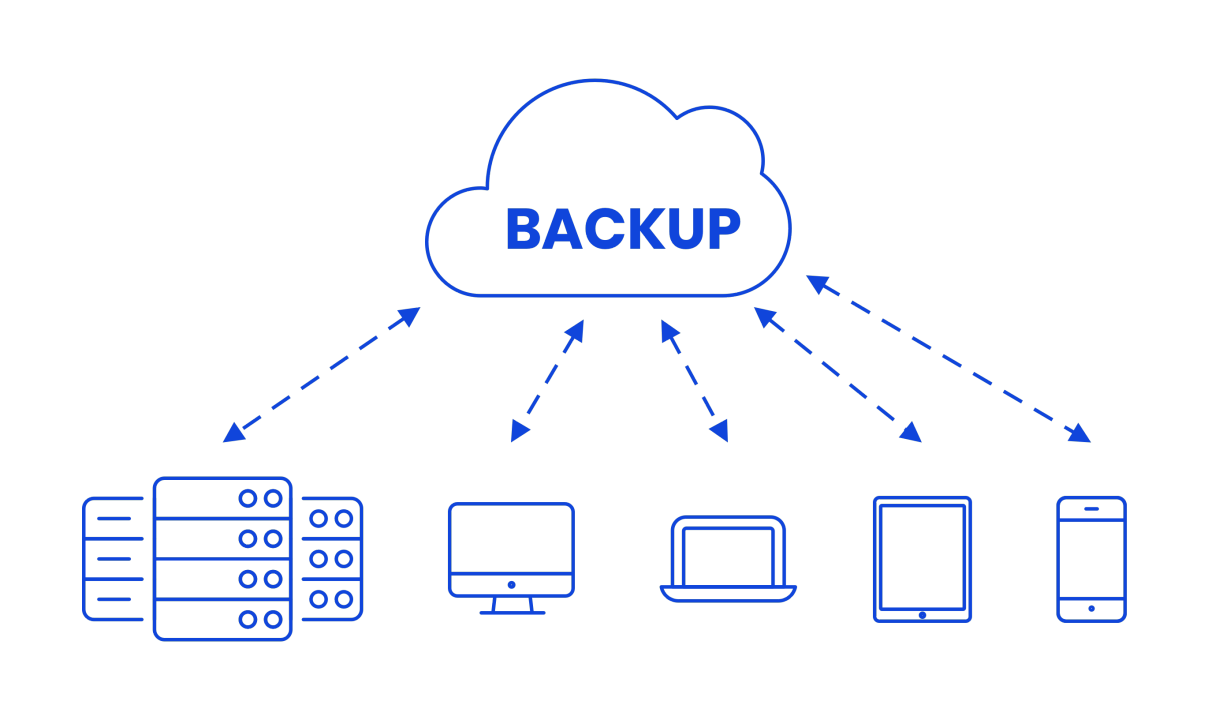
While pCloud originally focused on cloud storage and file synchronization, the platform has evolved to include dedicated backup features accessible through the desktop application. Users can designate specific folders for backup protection, with pCloud maintaining these backup copies separately from synchronized files. This distinction matters because synchronized files mirror changes immediately, including deletions, while backup files remain preserved even if local copies are removed.
The lifetime pricing model transforms cloud storage from an ongoing operational expense into a one-time capital investment. For creative professionals working with photo, video, or design files that accumulate over careers spanning decades, the ability to pay once and store data indefinitely provides both financial and practical benefits. The service includes strong security features with client-side encryption options that ensure files remain encrypted even during transmission and storage.
pCloud’s interface emphasizes ease of use, making it accessible to users without technical expertise. The platform supports multiple devices and operating systems, enabling seamless access to backed-up files from anywhere. File sharing and collaboration features allow users to share specific folders or files with others through password-protected links, adding versatility beyond simple backup functionality.
7. Rubrik: Cloud-First Data Management
Rubrik takes a fundamentally different architectural approach to enterprise data backup and recovery by delivering a cloud-first data management platform that unifies backup, recovery, and archival operations. Rather than functioning as traditional backup software layered over existing infrastructure, Rubrik operates as a distributed system that can span appliances and cloud targets seamlessly.
The platform’s defining characteristic is its simplicity compared to traditional enterprise backup solutions. Rubrik eliminates much of the complexity that plagues conventional approaches by using a distributed file system that manages backups transparently across physical appliances and cloud storage. Organizations can deploy Rubrik appliances on-premises for local backup performance while automatically tiering less frequently accessed data to cost-effective cloud storage.
According to PeerSpot’s January 2026 data, Rubrik holds 6.1 percent mindshare in the cloud backup category. The platform’s instant recovery capabilities enable administrators to run applications directly from Rubrik storage without waiting for full restores to complete. This approach dramatically reduces recovery time objectives, getting critical applications back online within minutes even when dealing with multi-terabyte datasets.
Rubrik’s policy-based management automatically applies appropriate protection policies based on tags and metadata rather than requiring manual configuration for individual systems. As new virtual machines or cloud resources are provisioned, Rubrik automatically discovers them and applies relevant backup policies, eliminating the common problem of orphaned workloads lacking backup protection because someone forgot to configure them.
The platform provides comprehensive API access and integration with orchestration tools, enabling organizations to embed backup and recovery operations into automated workflows. Development teams can programmatically create test environments from production backups, run automated tests, and tear down the environments without manual intervention. This integration of backup infrastructure into DevOps workflows represents a significant evolution beyond backup as a standalone IT function.
8. Carbonite: Streamlined Cloud Backup
Carbonite has earned recognition as one of the most polished and streamlined online backup services available. The platform emphasizes simplicity and automation while delivering comprehensive protection for individuals and small businesses. Carbonite’s approach removes the complexity and decision fatigue that can prevent people from implementing proper backup strategies.
The service automatically backs up files according to predefined policies, requiring minimal configuration after initial setup. Users can customize what gets backed up, but sensible defaults protect documents, photos, and other personal files automatically. Continuous backup monitors file changes and uploads modifications shortly after they occur, ensuring backups remain current without manual intervention.
Carbonite offers several plan tiers to match different needs and budgets. Basic online-only backup starts around seventy-two dollars annually for a single computer, with higher tiers adding the ability to duplicate backups to local hard drives, back up unlimited external drives, and access faster recovery options including courier delivery of hard drives containing your data. This tiered approach lets users pay only for features they actually need.
The service’s video backup capability sets it apart from many consumer-focused solutions that exclude video files due to their large size. For families and professionals who capture memories or create content in video format, this inclusion proves essential. Carbonite’s automatic backup approach ensures even large video files get protected without requiring users to manually upload them.
Recovery options balance convenience with speed. For small restores involving individual files or folders, simple download through the web interface or desktop application works well. When dealing with complete system failures requiring restoration of hundreds of gigabytes or terabytes, Carbonite’s courier service can ship a hard drive containing all your data, dramatically reducing recovery time compared to downloading everything over residential internet connections.
9. Dropbox Backup: Integration for Existing Users
Dropbox Backup represents a specialized backup solution available to existing Dropbox users through the desktop client. For the millions of individuals and businesses already using Dropbox for file storage and collaboration, Dropbox Backup provides seamless backup protection that integrates naturally into existing workflows without requiring additional separate backup software.
The service backs up designated folders every fifteen minutes by default, with incremental backups that only transfer changed portions of files. This frequent backup schedule minimizes potential data loss while the incremental approach keeps bandwidth consumption reasonable. Users retain control over backup frequency and can adjust schedules based on how actively files change and how much data protection they require.
Dropbox Backup supports backing up to external drives in addition to cloud storage, implementing local and remote protection simultaneously. This dual approach follows backup best practices by maintaining copies in different locations. The dedicated Dropbox Backup interface shows status of recent backups and enables quick access to backed-up content through the web portal.
Integration with the broader Dropbox ecosystem means backup data benefits from Dropbox’s robust infrastructure and security measures. Files are encrypted during transmission and storage, access controls prevent unauthorized viewing, and comprehensive audit logs track who accessed what and when. For businesses already standardized on Dropbox for collaboration, adding backup functionality through the same platform simplifies management and reduces the number of separate systems requiring administration.
The service works particularly well for individual users and small teams who want backup protection but don’t need the extensive features of enterprise backup platforms. Dropbox’s brand recognition and proven reliability make it an accessible choice for people who might find dedicated backup solutions intimidating or confusing.
10. CrashPlan: Continuous Protection for Businesses
CrashPlan focuses on providing continuous backup protection specifically designed for business environments. The platform’s distinguishing feature is its commitment to always-on backup that captures changes in real-time rather than waiting for scheduled backup windows. This continuous approach ensures that backup copies remain current with almost no lag between file modifications and backup completion.
The service offers unlimited storage, eliminating concerns about running out of space or facing unexpected overage charges. Businesses can back up entire servers, workstations, and file shares without calculating storage requirements or worrying that growth will necessitate plan upgrades. This unlimited model provides predictability valuable for IT budgeting and planning.
CrashPlan supports Windows, Mac, and Linux operating systems, providing comprehensive coverage for mixed-platform environments. The backup client works efficiently in the background without impacting system performance, using idle resources to perform backup operations without interfering with user productivity. Advanced features include file versioning that retains multiple historical versions of files and point-in-time recovery enabling restoration of entire systems to specific moments in the past.
Administrative features designed for business needs include centralized management consoles that provide visibility across all protected systems, customizable retention policies that can vary by file type or location, and detailed reporting that helps administrators monitor backup status and identify systems requiring attention. Integration with hard drives and external storage devices ensures that both local and cloud copies exist for maximum protection.
For businesses requiring continuous data protection without gaps or delays, CrashPlan’s real-time backup approach provides peace of mind that traditional scheduled backups cannot match. The platform particularly suits organizations in industries where even small amounts of data loss could have significant business impact, such as financial services, healthcare, or professional services firms.
Making the Right Choice for Your Needs
Selecting the optimal cloud backup solution requires careful consideration of your specific requirements, technical environment, and budget constraints. Individual users and families typically prioritize simplicity, affordability, and automatic operation, making solutions like Backblaze, pCloud, or Dropbox Backup excellent choices. Small businesses often need something between consumer simplicity and enterprise complexity, with options like IDrive, Carbonite, or CrashPlan providing good balance.
Large enterprises operating complex hybrid environments with stringent compliance requirements typically need comprehensive platforms like Veeam, Commvault, or Rubrik that can protect diverse workloads consistently while providing the granular control and reporting that governance demands. Organizations particularly concerned about cybersecurity should strongly consider integrated solutions like Acronis Cyber Protect that combine backup with threat protection.
Whatever solution you choose, the most important decision is simply making the commitment to implement proper backup protection. Data loss events happen to organizations and individuals every single day through hardware failures, accidental deletions, ransomware attacks, and natural disasters. The only effective protection is maintaining current backups stored separately from your primary data. Cloud backup solutions make this protection accessible and affordable for everyone, from individuals protecting family photos to global enterprises safeguarding mission-critical business data.
The solutions examined in this guide represent the best cloud backup options available in 2026, each excelling in specific areas while delivering reliable data protection. By understanding your requirements and matching them to appropriate solutions, you can implement backup protection that provides confidence and peace of mind in an increasingly digital world.