The landscape of AI automation SaaS tools has undergone a remarkable transformation as we approach 2026. What began as simple “if-this-then-that” integrations has evolved into sophisticated AI-powered ecosystems capable of intelligent decision-making, autonomous workflow orchestration, and predictive analytics. The global automation market has witnessed unprecedented growth, with enterprise spending on automation platforms increasing by approximately 35% from 2023 to 2025, driven primarily by the integration of advanced artificial intelligence capabilities.
This comprehensive guide examines the top 10 AI automation SaaS tools that are defining the industry standard in 2026. These platforms represent the cutting edge of business automation technology, combining machine learning, natural language processing, and intelligent agents to transform how organizations operate across sales, marketing, customer service, and operations. From no-code platforms designed for non-technical users to sophisticated enterprise solutions handling complex multi-step workflows, each tool serves distinct organizational needs while sharing a common vision: empowering businesses to work smarter through AI-driven automation.
1. Zapier: The Gateway to AI-Powered Workflow Automation
Platform Overview
Zapier remains the most recognized name in workflow automation, connecting over 7,000 applications through its intuitive trigger-action model. Founded on the principle of democratizing automation for non-technical users, Zapier has evolved from simple app-to-app connections to a comprehensive AI automation platform with advanced capabilities including AI agents, natural language workflow building, and intelligent data processing.
As of late 2025, Zapier serves millions of users across organizations of all sizes, from solo entrepreneurs to Fortune 500 companies. The platform’s enduring popularity stems from its remarkably low barrier to entry combined with increasingly sophisticated capabilities that scale with organizational needs.
Core AI Capabilities
Zapier Copilot: The platform’s natural language builder represents a fundamental shift in automation creation. Users can describe workflows in conversational language—”summarize new leads in Slack every morning”—and Copilot drafts complete workflows, connects accounts, maps data fields, and tests each step automatically. This eliminates the traditional learning curve associated with automation tools.
AI by Zapier: Built-in access to ChatGPT without requiring API keys enables users to extract data, generate text, summarize content, and analyze information directly within automated workflows. This embedded AI functionality makes sophisticated language processing accessible to any workflow.
Zapier Agents: The platform’s most advanced feature, Agents function as intelligent, self-directed AI teammates capable of taking multi-step actions across integrated applications. Unlike simple triggered workflows, Agents can handle complex tasks like drafting emails, preparing reports, and managing processes that require decision-making across multiple systems.
Chatbots by Zapier: Custom, no-code bots can be trained on proprietary content—help centers, knowledge bases, websites—to answer questions, guide customers, and handle internal requests. The bots automatically check for content updates, ensuring they remain current without manual maintenance.
Tables: A flexible, spreadsheet-style database system that stores, organizes, and updates data used by automations and AI agents. Tables serve as the memory layer for complex workflows, tracking projects, leads, and business data with direct connectivity to Zaps and AI workflows.
Integrations and Ecosystem
With over 7,000 integrations, Zapier connects virtually every business application, including:
- Productivity: Google Workspace, Slack, Notion, Microsoft Teams, Trello
- CRM & Sales: Salesforce, HubSpot, Pipedrive, Zoho CRM
- Marketing: Mailchimp, ActiveCampaign, Facebook Ads, Google Ads
- E-commerce: Shopify, WooCommerce, Stripe, Square
- Project Management: Asana, Monday.com, ClickUp, Jira
- Development: GitHub, GitLab, Webhooks, API endpoints
The platform’s integration catalog continues expanding, with new connectors added regularly based on user demand.
Pricing Structure
Zapier operates on a task-based pricing model:
Free Plan: 100 tasks per month with basic Zaps and limited features, suitable for testing and very light usage.
Starter Plan: $39.99/month (increased from $29.99 in 2023), providing more tasks and access to premium apps.
Professional Plan: Higher task volumes and advanced features including multi-step Zaps, webhooks, and custom logic.
Team Plan: $299+/month for collaborative features and significantly higher task allocations.
Enterprise: Custom pricing with advanced admin controls, SSO, and dedicated support.
The pricing has seen approximately 36% increases across tiers since 2023, reflecting enhanced AI capabilities and infrastructure investments. Organizations should carefully monitor task consumption, as costs can escalate quickly with high-volume workflows.
Ideal Use Cases
Zapier excels in scenarios requiring:
- Maximum Integration Breadth: When workflows must connect niche or less common applications
- Quick Implementation: Teams needing functional automation within hours, not weeks
- Non-Technical Teams: Marketing, operations, and sales professionals without coding backgrounds
- Simple to Moderate Complexity: Straightforward multi-step workflows without extensive custom logic
Limitations and Considerations
Cost Scaling: Task-based pricing can become expensive for high-volume operations. A single workflow execution might consume multiple tasks depending on steps and loops.
Customization Constraints: While powerful, Zapier imposes limitations on custom code execution (capped script time and data size) compared to developer-focused alternatives.
Complex Logic Challenges: Building highly sophisticated conditional workflows with extensive branching can become unwieldy in Zapier’s interface.
Vendor Lock-In: Extensive reliance on Zapier’s proprietary system can make migration to alternative platforms challenging.
Competitive Position in 2026
Zapier maintains its position as the most accessible automation platform, ideal for businesses prioritizing ease of use and breadth of integrations. However, organizations with complex automation needs, budget sensitivity at scale, or requirements for extensive custom logic are increasingly evaluating alternatives like Make, n8n, or industry-specific platforms.
The platform’s AI features—particularly Agents and Copilot—represent significant evolution beyond traditional automation, positioning Zapier as a genuine AI automation platform rather than merely an integration tool.
2. Make: Visual Workflow Automation for Complex Scenarios
Platform Overview
Make (formerly Integromat) has carved out a unique position as the visual automation platform for teams requiring sophisticated, multi-step workflows without writing code. Unlike linear trigger-action tools, Make provides a visual canvas where users design complex automation scenarios with branching logic, data transformations, and iterative processes, all rendered in an intuitive flowchart interface.
Acquired by Celonis in 2021, Make has accelerated its development, particularly in AI capabilities, enterprise features, and integration depth. The platform serves technical and non-technical users who’ve outgrown simpler tools but aren’t ready for full development frameworks.
Core AI Capabilities
AI-Powered Automation Generation: Make recently introduced natural language workflow generation, allowing users to describe desired automations and receive suggested scenarios that can be refined and deployed.
MCP Server Integration: Make enables scenarios to be modularized as callable tools through its Model Context Protocol (MCP) Server, providing standardized, secure methods to reuse logic across various AI agents and models—crucial for enterprise-grade scalability and governance.
Reusable AI Agents: Unlike platforms where agents are workflow-specific, Make’s AI agents are designed for reusability across multiple scenarios, dramatically improving efficiency for organizations managing numerous automated processes.
Context Management: Users can provide agents with reusable context by uploading files, which the agent maintains in memory across sessions. This surpasses alternatives requiring complex RAG (Retrieval-Augmented Generation) implementations with vector databases.
Make Grid: An innovative feature providing real-time, auto-generated visualization of an organization’s entire automation and AI landscape, helping teams understand relationships and data flow between different components.
Visual Workflow Design
Make’s signature feature is its visual scenario builder:
Drag-and-Connect Interface: Users build workflows by dragging modules (actions) onto a canvas and connecting them with lines representing data flow. This visual representation makes complex automations comprehensible at a glance.
Routers and Aggregators: Advanced flow control tools enable sophisticated branching (routers split workflows based on conditions) and data merging (aggregators combine information from multiple branches), providing unprecedented control over automation logic.
Real-Time Execution View: Watch scenarios run in real-time, seeing exactly how data flows through each module. This transparency is invaluable for troubleshooting and optimization.
Data Transformation Tools: Built-in functions for transforming, parsing, and manipulating data between systems surpass most no-code platforms in power and flexibility.
Integration Capabilities
Make offers extensive connectivity:
- 1,400+ pre-built app integrations
- HTTP module for connecting to any API endpoint
- Developer SDK for building custom apps
- Webhooks for real-time triggers
- Database connections (with appropriate modules)
While fewer integrations than Zapier, Make’s HTTP capabilities and customization options mean virtually any service with an API can be connected.
Pricing Structure (Updated August 2025)
Make transitioned from operations-based to credit-based billing in August 2025:
Free Plan: 1,000 operations (now credits) monthly with limited features, suitable for testing and light personal use.
Core Plan: $9/month for additional credits and features.
Pro Plan: $16/month with higher credit allocations and advanced features.
Teams Plan: $29/month per bundle (approximately $145/month for typical team usage handling tens of thousands of operations).
Enterprise: Custom pricing with advanced governance, security, and support.
Critical Pricing Note: The credit system introduces variable consumption. While standard actions convert at 1:1, complex or resource-intensive modules—especially those involving AI—consume different credit amounts based on factors like token usage, file size, and processing time. This variable pricing requires careful monitoring and budgeting.
Make typically offers 50-60% cost advantage over Zapier for similar workflows, making it significantly more affordable for complex automation at scale.
Ideal Use Cases
Make shines in scenarios requiring:
- Complex Conditional Logic: Workflows with multiple branches, conditions, and data routing requirements
- Visual Workflow Management: Teams that benefit from seeing complete automation flows graphically
- Data-Intensive Operations: Scenarios requiring significant data transformation, merging, or processing
- Mid-Size to Enterprise Organizations: Businesses with moderately complex needs balancing power and usability
Limitations and Considerations
Learning Curve: While no-code, Make’s advanced features require time to master. Complex scenarios with many branches can become visually cluttered and difficult to navigate.
Credit-Based Pricing Complexity: The new variable credit consumption model requires ongoing monitoring and can make cost prediction challenging, particularly for AI-heavy workflows.
Community Size: While growing, Make’s community and third-party resources are smaller than Zapier’s, potentially meaning slower support for niche use cases.
Cloud-Only Operation: Unlike n8n, Make doesn’t offer self-hosting options, which may be a limitation for organizations with strict data residency or control requirements.
Competitive Position in 2026
Make occupies the strategic middle ground between Zapier’s simplicity and n8n’s technical power. For organizations that have outgrown simple automation but aren’t ready for developer-focused tools, Make delivers exceptional value. The visual interface combined with advanced AI agent capabilities and modular reusability positions Make as a strong choice for fast-growing enterprises scaling their automation infrastructure efficiently.
3. n8n: The Open-Source Powerhouse for Technical Teams
Platform Overview
n8n represents a fundamentally different approach to automation: an open-source, self-hostable platform offering technical teams maximum flexibility, control, and cost efficiency. While Zapier and Make prioritize accessibility, n8n targets developers, technical operations teams, and organizations requiring complete sovereignty over their automation infrastructure.
The platform’s node-based architecture enables construction of sophisticated workflows by connecting services, APIs, and custom code. This technical orientation comes with a steeper learning curve but delivers unmatched customization potential and long-term value for organizations with development resources.
Core AI Capabilities
Advanced LangChain Integration: n8n provides nearly 70 nodes dedicated to AI applications with native LangChain support, enabling sophisticated AI workflows like RAG (Retrieval-Augmented Generation), multi-model orchestration, and autonomous agent systems that analyze, interpret, and generate content with minimal human intervention.
Custom Code Execution: Full JavaScript and TypeScript support within Code nodes, with the ability to install packages in self-hosted mode, enables sophisticated algorithms, predictive analysis systems, and natural language processing implementations impossible on restricted platforms.
AI Model Flexibility: Native integrations with leading AI providers including OpenAI, Anthropic (Claude), Google (Gemini), and open-source models. Organizations can easily switch between models or use different models for different workflow steps based on performance, cost, and capability requirements.
Autonomous AI Workflows: The technical depth enables creation of truly autonomous AI systems that can operate independently for extended periods, making complex decisions and executing multi-step processes without human intervention.
Custom Node Development: Developers can build and deploy custom nodes tailored to specific organizational needs, effectively extending the platform’s capabilities indefinitely.
Open-Source Advantages
Self-Hosting Options: The Community Edition is free to self-host on Virtual Private Servers, Heroku, personal servers, or even desktop computers. Organizations pay only for infrastructure and deployment—the software itself costs nothing.
Full Data Sovereignty: Self-hosting provides complete control over data and workflows, crucial for compliance with regulations like GDPR, CCPA, or industry-specific requirements. Data never touches third-party servers.
Code Access and Customization: The source code is available on GitHub, enabling technical teams to audit, modify, and extend functionality to precise specifications.
No Vendor Lock-In: Organizations retain complete portability. Workflows, configurations, and data remain under full control without dependence on proprietary platforms.
Community Innovation: An active open-source community contributes custom nodes, shares workflows, and collaboratively improves the platform. The community forum boasts 40,000+ members providing rapid support.
Deployment Options
Self-Hosted Community Edition: Free with full feature access, unlimited users, unlimited workflows, and all integrations. Ideal for technical teams prioritizing cost efficiency and control.
Self-Hosted Business Plan: €800/month per 40,000 workflow executions (€667/month billed annually), adding extended collaboration features, multiple environments, built-in Git versioning, and enterprise-level support.
n8n Cloud: Fully managed hosting on Microsoft Azure with data residency in Frankfurt, Germany. Plans start at €20/month for 2,500 workflow executions, scaling to €60/month for 10,000 executions (Pro) and custom Enterprise pricing.
Pricing Model Advantage
n8n’s execution-based pricing (rather than per-task or per-operation) delivers dramatic cost advantages. A single execution can include hundreds of nodes and operations without incremental charges. For automation-heavy organizations, this can represent savings of 1000× compared to task-based platforms—a workflow costing $100 on Zapier might cost $0.10 on self-hosted n8n.
Integration Ecosystem
- 1,000+ pre-built integrations, fully customizable
- Credential-only nodes requiring minimal configuration
- Generic connectors (HTTP, GraphQL, MQTT) connecting to any API
- Webhook support for real-time triggers
- Database connectors (PostgreSQL, MySQL, MongoDB, etc.)
- Thousands of community-created nodes
While the integration count is lower than Zapier, n8n’s HTTP capabilities mean no service is truly inaccessible.
Ideal Use Cases
n8n excels for:
- Technical Teams: Organizations with in-house developers or DevOps resources
- Cost-Sensitive Scaling: Companies requiring extensive automation without proportional cost increases
- Data Sovereignty Requirements: Organizations in regulated industries or with strict compliance mandates
- Complex AI Implementations: Teams building sophisticated AI agent systems, multi-model workflows, or custom intelligence applications
- Workflow Portability: Businesses wanting to avoid vendor lock-in and maintain full control
Limitations and Considerations
Technical Expertise Required: Self-hosting requires server management, deployment knowledge, and ongoing maintenance. This is not a plug-and-play solution for non-technical teams.
Smaller Pre-Built Integration Library: While HTTP access provides universal connectivity, n8n has fewer one-click integrations than commercial alternatives.
Community Support Model: While active, the community forum cannot match enterprise support SLAs available from commercial vendors (though paid plans include formal support).
Setup and Maintenance Overhead: Self-hosted deployments require initial configuration, updates, backup strategies, and monitoring—ongoing operational responsibility.
Competitive Position in 2026
n8n has emerged as the clear choice for technical organizations prioritizing flexibility, cost efficiency, and control. The platform’s AI capabilities—particularly LangChain integration and multi-model support—position it as the most powerful option for teams building sophisticated AI automation systems.
For automation projects heavily integrating AI, n8n represents the most capable and cost-effective platform in 2026. Organizations willing to invest technical resources in setup and management are rewarded with unmatched capability and long-term value.
The growing maturity of n8n Cloud also provides a middle path: managed infrastructure without sacrificing the platform’s technical power, making it increasingly viable for organizations wanting n8n’s capabilities without full self-hosting responsibilities.
4. Workato: Enterprise Integration Platform as a Service (iPaaS)
Platform Overview
Workato positions itself as the enterprise-grade integration and automation platform designed for large organizations requiring robust governance, deep app integrations, and the ability to scale AI-driven processes across multiple teams and departments. Unlike tools targeting individual users or small teams, Workato is purpose-built for complex enterprise environments with thousands of users, stringent compliance requirements, and sophisticated IT infrastructure.
As an iPaaS (Integration Platform as a Service) solution, Workato goes beyond simple workflow automation to provide comprehensive integration capabilities, data synchronization, and enterprise-wide orchestration that connects cloud applications, on-premise systems, and databases in unified workflows.
Core Capabilities
Advanced Workflow Orchestration: Workato specializes in multi-step, conditional, and event-driven workflows that span multiple departments, applications, and data sources. These orchestrations handle complex business processes that simple automation tools cannot address.
Enterprise Governance and Security: Built-in features for managing permissions, audit trails, compliance frameworks, and security protocols ensure that automation operates within enterprise policies and regulatory requirements. This includes role-based access control, workflow approval mechanisms, and detailed logging.
Low-Code/No-Code Interface: Despite its enterprise focus, Workato maintains accessibility through intuitive recipe builders that allow business users to create workflows without coding, while providing code-level customization for technical teams when needed.
Deep System Integration: Workato excels at connecting enterprise systems that other platforms struggle with, including SAP, Oracle, Salesforce, Workday, ServiceNow, and custom enterprise applications. Pre-built connectors are optimized for enterprise data models and security requirements.
Real-Time Data Synchronization: Beyond triggered workflows, Workato maintains real-time or near-real-time data consistency across connected systems, ensuring information accuracy across the enterprise.
API Management: Robust capabilities for creating, managing, and monitoring APIs that expose automation functionality to other systems, enabling enterprise-wide automation standardization.
AI and Intelligent Automation
While not traditionally positioned as an AI-first platform, Workato has integrated intelligent capabilities:
Smart Suggestions: Machine learning recommends optimization opportunities, identifies inefficient workflows, and suggests automation opportunities based on usage patterns.
Natural Language Recipe Building: Recent updates enable workflow creation through conversational descriptions, lowering the technical barrier.
Predictive Analytics: Integration with business intelligence tools enables workflows that trigger based on predictive signals rather than just reactive events.
Intelligent Data Mapping: AI assists in mapping data fields between disparate systems, significantly reducing setup time for complex integrations.
Integration Depth
Workato’s integration catalog prioritizes depth over breadth:
- 1,000+ pre-built connectors optimized for enterprise use cases
- Universal HTTP connector for custom integrations
- Database connectivity (SQL Server, Oracle, PostgreSQL, etc.)
- Message queue integration (RabbitMQ, Kafka)
- Secure agent technology for on-premise system connectivity
- Pre-built integration recipes for common enterprise scenarios
Pricing Structure
Workato employs task-based pricing similar to Zapier but optimized for enterprise scales:
Custom Pricing: All plans require consultation with sales, with pricing based on task volume, user count, and required features.
Typical Enterprise Investment: Organizations typically invest $20,000-$100,000+ annually depending on scale and complexity.
Value Proposition: While significantly more expensive than tools like Make or n8n, the cost is justified by enterprise features, compliance capabilities, and support quality that smaller platforms cannot match.
Ideal Use Cases
Workato excels for:
- Large Enterprises: Organizations with 1,000+ employees and complex IT ecosystems
- Regulated Industries: Financial services, healthcare, government entities with strict compliance requirements
- Multi-Department Orchestration: Workflows spanning sales, finance, HR, operations, and IT
- Legacy System Integration: Companies needing to connect modern cloud apps with on-premise enterprise systems
- High-Volume Operations: Organizations processing millions of transactions requiring guaranteed uptime and performance
Limitations and Considerations
Cost Barrier: Workato’s pricing excludes small to mid-size businesses and budget-conscious organizations.
Complexity: The breadth of enterprise features creates a learning curve even with low-code interfaces.
Overkill for Simple Needs: Organizations with straightforward automation requirements don’t need—and shouldn’t pay for—Workato’s enterprise capabilities.
Vendor Relationship Dependency: Enterprise agreements create significant dependencies and switching costs.
Competitive Position in 2026
Workato dominates the enterprise iPaaS market alongside competitors like MuleSoft and Dell Boomi. For organizations requiring enterprise-grade integration with robust governance, Workato represents the gold standard. However, the platform’s positioning explicitly excludes smaller organizations and simple use cases.
Companies evaluating Workato should consider whether they genuinely need enterprise-level features or if more accessible alternatives like Make, Zapier, or even n8n (with business/enterprise plans) could meet their needs at a fraction of the cost.
5. UiPath: Robotic Process Automation Leader
Platform Overview
UiPath represents a different automation paradigm: Robotic Process Automation (RPA). Unlike workflow tools that connect applications through APIs, RPA software robots mimic human interactions with user interfaces, clicking buttons, entering data, and navigating applications as a human would. This capability is crucial for automating legacy systems, desktop applications, and processes that lack API connectivity.
Founded in 2005, UiPath has grown into the RPA market leader, serving enterprises worldwide with software robots that automate repetitive, rules-based tasks across virtually any application. The platform combines attended bots (working alongside humans) and unattended bots (operating independently) to handle everything from data entry to complex multi-system processes.
Core Capabilities
UiPath Studio: A visual development environment for building automation workflows using drag-and-drop components. Studio provides both low-code interfaces for business users and full coding capabilities for developers, accommodating different skill levels.
Automation Express: A no-code designer that enables rapid automation development without technical expertise, democratizing RPA creation across organizations.
UiPath Robots: The execution engines that run automations. Attended robots assist human workers at their workstations, while unattended robots operate autonomously on server infrastructure, handling high-volume processes 24/7.
Orchestrator: The command center for managing, monitoring, and scheduling robot activities across the enterprise. Orchestrator provides centralized control, analytics, and governance for automation deployments.
AI and Computer Vision: Advanced capabilities including optical character recognition (OCR) for text extraction from documents and images, and computer vision for identifying and interacting with UI elements even when underlying structures change.
Document Understanding: AI-powered document processing that extracts, validates, and processes information from invoices, forms, contracts, and other documents with remarkable accuracy.
Process Mining: Analyzes actual process execution data to identify automation opportunities, bottlenecks, and optimization potential, guiding strategic automation investments.
AI Integration
UiPath has invested heavily in AI capabilities:
AI Fabric: Enables integration of machine learning models directly into automation workflows, allowing robots to make intelligent decisions based on trained models.
Intelligent Document Processing: Combines OCR, natural language processing, and machine learning to understand complex documents, extracting relevant information even from varied formats.
Natural Language Automation: Recent updates enable automation creation through natural language descriptions, lowering technical barriers.
Predictive Analytics: Workflows can incorporate predictive models to make forward-looking decisions rather than purely reactive automations.
Pricing Structure
UiPath pricing is complex and primarily enterprise-focused:
Free Plan: Community edition for individual developers, small teams, and educational purposes. Limited to 25 free licenses.
Pro Package: $420/month including 25 licenses, 1 attended bot, 1 unattended bot, and orchestrator capabilities. Automation Developer features cost $1,570/month.
Enterprise Package: Custom pricing with 100+ free licenses and expanded capabilities across all UiPath products.
Per-Bot Pricing:
- Attended bots: Typically $125-$200/month per bot
- Unattended bots: $500-$1,000+/month per bot depending on configuration and features
Note: Pricing varies significantly based on negotiation, volume, and specific requirements. Most enterprise deployments cost $50,000-$500,000+ annually.
Use Cases
UiPath excels at:
- Legacy System Automation: Connecting systems that lack modern APIs
- High-Volume Data Entry: Processing thousands of transactions accurately
- Cross-Application Workflows: Automating processes spanning multiple desktop applications
- Financial Operations: Invoice processing, reconciliation, reporting
- HR Processes: Onboarding, payroll processing, benefits administration
- Customer Service: Order processing, claims handling, data validation
Limitations and Considerations
Cost: UiPath is among the most expensive automation solutions, with per-bot licensing creating significant ongoing costs.
Technical Complexity: Despite low-code options, developing robust RPA automations requires expertise, particularly for exception handling and maintenance.
Brittleness: UI-based automation is inherently fragile. Changes to application interfaces can break robots, requiring ongoing maintenance.
Infrastructure Requirements: Unattended bots require server infrastructure, adding deployment and operational complexity.
Not for Every Scenario: API-based integration is almost always preferable when available. RPA should be the solution when APIs aren’t viable.
Competitive Position in 2026
UiPath leads the RPA market but faces intense competition from Automation Anywhere, Blue Prism (acquired by SS&C Technologies), and Microsoft Power Automate Desktop. The RPA market is consolidating as organizations realize that API-based automation is preferable for most modern applications.
UiPath’s future depends on its evolution beyond pure RPA into broader intelligent automation, document processing, and process intelligence. For enterprises with significant legacy systems or desktop application automation needs, UiPath remains the premier solution. However, organizations should carefully evaluate whether modern API-based tools can address their needs at lower cost and complexity.
6. Microsoft Power Automate: The Microsoft 365 Automation Engine
Platform Overview
Microsoft Power Automate (formerly Microsoft Flow) occupies a unique position as the automation platform deeply integrated into the Microsoft ecosystem. For organizations invested in Microsoft 365, Azure, Dynamics 365, and related services, Power Automate provides native automation capabilities with minimal additional investment, seamless integration, and enterprise-grade governance inherited from the broader Microsoft platform.
Power Automate operates across cloud services and desktop applications, combining workflow automation (cloud flows), RPA capabilities (desktop flows), and business process automation into a comprehensive platform that spans the entire Microsoft technology stack.
Core Capabilities
Cloud Flows: Automated workflows connecting cloud services and applications, similar to Zapier or Make but optimized for Microsoft services. Cloud flows handle everything from simple notifications to complex multi-step business processes.
Desktop Flows: Robotic process automation functionality for automating desktop applications and legacy systems that lack API connectivity. This competes directly with UiPath and Automation Anywhere but with significantly lower cost for existing Microsoft customers.
Business Process Flows: Guided experiences that lead users through defined business processes, ensuring consistency and completeness in tasks like lead qualification, customer onboarding, or case management.
AI Builder: A low-code AI platform within Power Automate enabling creation of AI models for form processing, object detection, prediction, and text processing without data science expertise.
Process Advisor: Process mining and task mining capabilities that analyze how users actually work, identifying automation opportunities and optimization potential.
AI and Intelligent Automation
Microsoft has invested aggressively in AI capabilities:
Copilot Integration: Power Automate integrates with Microsoft 365 Copilot, enabling natural language workflow creation, intelligent suggestions, and AI-assisted development.
AI Builder Models: Pre-built and custom AI models for:
- Document processing and form recognition
- Object detection in images
- Sentiment analysis
- Text recognition and translation
- Predictive analytics
Intelligent Document Processing: Extract data from invoices, receipts, business cards, and custom documents using AI-powered recognition.
Adaptive Cards: Dynamic, interactive content that responds intelligently to user interactions within Microsoft Teams, Outlook, and other applications.
Microsoft Ecosystem Integration
The platform’s greatest strength is deep Microsoft integration:
- Microsoft 365: Seamless connectivity with Outlook, Teams, SharePoint, OneDrive, Excel, and all Office applications
- Dynamics 365: Native integration with CRM and ERP systems
- Azure: Direct access to Azure services, databases, storage, and AI capabilities
- Power Platform: Integration with Power Apps, Power BI, and Power Virtual Agents for comprehensive low-code solutions
- 400+ Third-Party Connectors: While fewer than Zapier, Power Automate connects major non-Microsoft services
Pricing Structure
Power Automate pricing is complex but potentially economical for Microsoft customers:
Per-User Plans:
- Power Automate Premium: $15/user/month for unlimited cloud flows with premium connectors
- Power Automate Process: $150/user/month including unattended RPA capabilities
Per-Flow Plans:
- Individual flows can be licensed separately, useful for high-volume automations that don’t require per-user licensing
Included in Microsoft 365:
- Basic Power Automate capabilities are included in many Microsoft 365 subscriptions at no additional cost, providing significant value for existing customers
Add-ons:
- AI Builder credits for advanced AI features
- Additional capacity for high-volume operations
Ideal Use Cases
Power Automate excels for:
- Microsoft-Centric Organizations: Companies heavily invested in Microsoft technologies
- Enterprise IT Departments: Large organizations requiring robust governance and security
- Compliance-Focused Industries: Regulated environments benefiting from Microsoft’s compliance certifications
- Hybrid Environments: Organizations with both cloud and on-premise systems
- Budget-Conscious Microsoft Customers: Leveraging included capabilities to minimize additional costs
Limitations and Considerations
Microsoft Lock-In: Strongest within Microsoft ecosystem; less optimal for connecting primarily non-Microsoft services
Complexity: The breadth of Microsoft’s platform creates complexity, requiring significant learning investment
Pricing Confusion: Variable pricing models and add-ons make total cost of ownership difficult to predict
Performance: Some users report reliability and performance issues compared to specialized automation platforms
Limited Third-Party Integration Depth: While connectors exist for major services, they often lack the refinement of platforms like Zapier
Competitive Position in 2026
Power Automate’s competitive position depends entirely on organizational context. For Microsoft-centric enterprises, it represents exceptional value, leveraging existing investments and providing automation capabilities at minimal incremental cost. The platform’s governance, compliance, and security features inherited from the Microsoft ecosystem make it particularly attractive for regulated industries and large enterprises.
However, for organizations with diverse technology stacks or those prioritizing best-of-breed automation capabilities, specialized platforms like Make, Zapier, or n8n often provide superior experiences. Power Automate is strongest when viewed as part of the broader Microsoft Power Platform and productivity ecosystem rather than as a standalone automation tool.
7. Lindy: AI-First No-Code Automation Platform
Platform Overview
Lindy represents the new generation of AI-native automation platforms where artificial intelligence isn’t an added feature but the fundamental operating principle. Unlike traditional workflow tools that execute predefined steps, Lindy deploys AI agents—autonomous digital workers that understand context, make decisions, and execute entire workflows with minimal human intervention.
Launched to address the growing demand for truly intelligent automation that doesn’t require technical expertise, Lindy enables businesses to create custom AI employees through natural language instructions. These agents handle everything from email triage and lead qualification to customer support and research tasks, operating across 5,000+ integrated business applications.
Core AI Capabilities
Agent Builder: Lindy’s signature feature enables “vibe coding”—creating sophisticated AI agents by simply describing what you need them to do in conversational language. The system interprets instructions, configures connections, and deploys functional agents in minutes without traditional programming or workflow diagramming.
Computer Use: A breakthrough capability allowing Lindy agents to operate web browsers and applications directly, automating tasks that lack traditional API access. This expands automation possibilities beyond API-dependent workflows to virtually any web-based activity.
Lindy Build: An autonomous application building feature where users describe desired functionality and Lindy generates complete internal applications with automated testing, turning text descriptions into working software.
Multi-Model Support: Lindy supports multiple leading AI models including:
- Claude Sonnet 4.5 (default, optimized for coding with 77.2% accuracy on software engineering benchmarks)
- Claude Sonnet 3.7
- GPT-5 and GPT-5 Codex
- Gemini Flash 2.0
- Claude Haiku 3.5
Model selection affects performance, cost, and credit consumption, allowing organizations to optimize for specific use cases.
Gaia Voice Agents: State-of-the-art AI phone agents capable of handling voice interactions for customer service, sales outreach, and support operations, extending automation beyond text-based channels.
Context Memory: Agents maintain context across interactions and sessions, remembering preferences, past decisions, and relevant information to provide increasingly intelligent assistance over time.
Integration Ecosystem
Lindy connects with 5,000+ business applications across categories:
- Productivity: Gmail, Google Calendar, Slack, Microsoft Teams, Notion
- CRM & Sales: HubSpot, Salesforce, Pipedrive
- Marketing: Mailchimp, LinkedIn Ads, ActiveCampaign
- Project Management: Asana, Monday.com, ClickUp, Trello
- E-commerce: Shopify, WooCommerce, Stripe
- Developer Tools: GitHub, Webhooks, APIs
Core integrations are maintained directly by Lindy with continuous reliability optimization, while new connectors are added regularly based on user demand.
Pricing Structure
Lindy operates on a credit-based model:
Free Plan: 400 monthly task credits suitable for testing and light usage
Paid Plans:
- Standard: $29.99/month for basic features and higher usage limits
- Premium: $49.99/month with advanced capabilities including priority support and higher credit allocations
- Paid plans support up to 1,500-5,000 tasks monthly depending on configuration
Enterprise: Custom pricing with advanced governance, SSO, HIPAA compliance, and dedicated support
The credit system is more affordable than traditional per-task platforms, with sophisticated AI capabilities justifying the premium over simpler automation tools.
Unique Differentiators
Autonomous Operation: Lindy agents can operate independently for 30+ hours on complex tasks, far exceeding the capabilities of traditional automation workflows that require constant human supervision.
Judgment and Decision-Making: Unlike rule-based automation, Lindy agents make contextual judgments, adapting workflows based on situation-specific factors rather than rigidly following predetermined paths.
No Workflow Diagramming: The absence of traditional workflow builders eliminates complexity. Users simply describe desired outcomes and agents determine execution approaches.
Rapid Deployment: Functional agents can be created and deployed in minutes rather than hours or days required for traditional automation development.
Ideal Use Cases
Lindy excels in scenarios requiring:
- Knowledge Work Automation: Tasks requiring comprehension, analysis, and decision-making rather than simple data transfer
- Email and Communication Management: Intelligent triage, response drafting, and routing based on content understanding
- Lead Qualification and Sales Outreach: Researching prospects, qualifying leads, and executing personalized multi-channel campaigns
- Customer Support: Handling inquiries, escalating appropriately, and maintaining consistent service quality
- Research and Analysis: Gathering information from multiple sources and synthesizing insights
- Content Operations: Creating, editing, and managing content workflows
Limitations and Considerations
Premium Pricing: At $29.99-$49.99/month, Lindy costs more than basic automation tools, though less than enterprise platforms
Newer Platform: As a relatively young platform, the ecosystem and community are smaller than established alternatives
AI Unpredictability: Agent-based automation introduces some unpredictability compared to rigidly defined workflows, requiring trust in AI decision-making
Credit Consumption Variability: Complex AI operations consume more credits, making exact cost prediction challenging
Learning Agent Behavior: Teams need time to understand how to effectively instruct and collaborate with AI agents
Competitive Position in 2026
Lindy represents the future direction of automation: truly intelligent systems that understand intent and execute autonomously rather than mechanically following instructions. For organizations comfortable with AI decision-making and seeking to automate complex knowledge work, Lindy offers capabilities that traditional workflow tools cannot match.
The platform is ideal for forward-thinking teams prioritizing innovation over traditional approaches, particularly in scenarios where judgment, context, and adaptability matter more than rigid process execution. However, organizations requiring precise, auditable workflows with deterministic outcomes may prefer conventional automation platforms.
Customer success stories demonstrate impressive results: Truemed reduced support costs by 67% while handling 36% of support tickets with AI; various organizations report significant time savings and operational efficiency gains.
8. HubSpot Breeze: AI-Powered CRM Intelligence
Platform Overview
HubSpot Breeze represents the evolution of CRM from data storage to intelligent operating system. Rather than being a standalone automation tool, Breeze is an AI layer woven throughout HubSpot’s Marketing, Sales, and Service Hubs, transforming the CRM into an active intelligence platform that predicts, recommends, and executes alongside human teams.
Launched as HubSpot’s comprehensive AI initiative, Breeze combines assistant capabilities (Breeze Copilot), autonomous agents, and intelligent data enrichment to create what HubSpot calls “Smart CRM”—a unified platform where AI understands customer context, automates workflows, and surfaces strategic insights without requiring users to learn separate automation tools.
Core AI Components
Breeze Assistant (Copilot): An AI sidekick living within HubSpot that helps with daily tasks like summarizing customer histories before calls, drafting follow-up emails, preparing meeting briefs, and pulling up relevant information. Unlike external AI assistants, Breeze understands your specific CRM data, customer context, and business processes.
Breeze Agents: Autonomous AI workers designed to handle complete workflows independently:
- Prospecting Agent: Researches leads, identifies buying signals based on website activity, and drafts personalized outreach emails, freeing sales reps to focus on qualified conversations
- Customer Agent: Handles support inquiries across chat and email, leveraging knowledge bases for instant answers
- Data Agent: Automates research at scale across entire customer bases, enriching records with custom intelligence
- Content Agent: Generates campaign content, analyzes market trends, and develops marketing strategies
- Social Media Agent: Manages social engagement and responses, eliminating daily social media management burden
Breeze Intelligence: A 200M+ company profile database providing instant lead enrichment directly within HubSpot, eliminating needs for external data providers.
Breeze Marketplace and Studio: A curated library of pre-built agents and a customization environment where teams can tailor AI behaviours to specific business needs, creating a complete AI ecosystem within HubSpot.
AI-Powered Automation Capabilities
AI-Guided Selling: Analyses historical deal data to recommend next-best actions, reducing decision paralysis for sales representatives and increasing close rates.
Predictive Lead Scoring: Uses historical patterns to identify which leads are most likely to convert, allowing teams to prioritize high-probability opportunities.
AI Forecasting: Predicts pipeline outcomes and deal closure probabilities with impressive accuracy, enabling more reliable revenue forecasting.
Meeting Preparation: Automatically surfaces relevant context, recent activity, and conversation talking points before customer interactions.
Content Generation: Creates on-brand marketing content aligned with company voice and guidelines.
Workflow Automation: Intelligent workflows that adapt based on customer behavior, engagement patterns, and contextual signals rather than simple triggers.
Integration Philosophy
Breeze’s strength lies in unified platform integration:
- Native HubSpot Integration: Seamless operation across all HubSpot hubs without fragmented tooling
- CRM Data Context: Every AI action leverages complete customer history and business context
- Cross-Functional Intelligence: Marketing, sales, and service benefit from shared AI insights
- Third-Party Connectivity: Integrations with external apps provide comprehensive business context
Pricing Structure
Breeze capabilities are integrated into HubSpot’s tiered pricing:
Free CRM: Basic features without advanced AI capabilities
Starter: Beginning at approximately $20/user/month with limited AI features
Professional: $800+/month (for typical teams) including robust Breeze functionality
Enterprise: $3,200+/month with complete AI capabilities, advanced agents, and customization options
Note: Breeze requires appropriate HubSpot hub subscriptions (Marketing, Sales, or Service Hub). Some advanced features like AI Forecasting and Predictive Lead Scoring are restricted to higher-tier plans.
The value proposition depends on existing HubSpot investment. For HubSpot customers, Breeze provides exceptional AI capabilities at minimal incremental cost. For organizations not using HubSpot, total platform costs may exceed specialized automation tools.
Ideal Use Cases
HubSpot Breeze excels for:
- HubSpot-Committed Organizations: Businesses already invested in HubSpot ecosystem
- SMB to Mid-Market Companies: Organizations of 10-500 employees seeking accessible AI
- Marketing-Sales-Service Alignment: Teams prioritizing unified customer experience across functions
- Non-Technical Teams: Business users wanting AI capabilities without learning separate automation platforms
- Rapid Deployment: Organizations needing quick time-to-value without extensive configuration
Limitations and Considerations
HubSpot Lock-In: Breeze only works within HubSpot, creating platform dependency
Feature Gating: Advanced AI capabilities require expensive tier upgrades
Limited Customization: Compared to platforms like n8n or Lindy, customization options are more constrained
Not Standalone: Organizations must adopt the full HubSpot platform, not just automation capabilities
Volume Limitations: Some AI features have usage caps requiring monitoring and potential upgrades
Competitive Position in 2026
HubSpot Breeze represents CRM platforms’ evolution toward intelligence-first operation. For SMB and mid-market organizations using HubSpot, Breeze provides AI capabilities that would otherwise require separate automation platforms, data enrichment services, and AI tools—delivering significant consolidated value.
The platform competes directly with Salesforce Einstein (enterprise-focused) and standalone automation tools. Breeze’s advantage lies in unified integration, intuitive accessibility, and transparent pricing compared to enterprise alternatives’ complexity and cost.
Organizations should evaluate Breeze in the context of total HubSpot investment. The AI capabilities alone don’t justify switching CRMs, but for current or prospective HubSpot customers, Breeze represents compelling AI functionality that enhances platform value significantly.
User adoption metrics are impressive: 36% of HubSpot CMS customers adopted AI content assistants by Q1 2025, and teams report 47% faster campaign turnaround times after enabling AI features, demonstrating real productivity impact.
9. Salesforce Einstein: Enterprise AI for CRM
Platform Overview
Salesforce Einstein represents the enterprise standard for AI-powered CRM intelligence. Deeply integrated into the Salesforce ecosystem since 2016, Einstein isn’t a separate tool but an intelligence layer woven throughout Sales Cloud, Service Cloud, Marketing Cloud, and Commerce Cloud, bringing predictive analytics, natural language processing, and automated workflows to every aspect of customer relationship management.
Built for large organizations with complex sales processes, multiple departments, and sophisticated data ecosystems, Einstein excels in scenarios requiring extensive customization, multi-cloud orchestration, and industry-specific compliance frameworks that smaller platforms cannot address.
Core AI Capabilities
Einstein Copilot: An AI assistant operating across the entire Salesforce platform, capable of summarizing meetings, routing emails, triggering workflows, and providing intelligent recommendations within familiar Salesforce interfaces. Unlike simple chatbots, Einstein Copilot takes actions, modifies records, and executes processes based on natural language instructions.
Predictive Lead Scoring: Custom machine learning models trained on organizational data predict lead conversion probability. Models are automatically retrained every 10 days with updated data, ensuring predictions remain accurate as patterns evolve.
Opportunity Insights: AI-powered analysis of deal health, identifying risks and opportunities in sales pipelines. Einstein surfaces factors influencing deal outcomes and recommends actions to improve close rates.
Einstein Activity Capture: Automatically logs emails, meetings, and activities into Salesforce, eliminating manual data entry while maintaining complete customer interaction records.
Next Best Action: Recommends optimal actions for sales reps, service agents, and marketers based on comprehensive customer data analysis, historical patterns, and predicted outcomes.
Forecasting Intelligence: Advanced pipeline forecasting that analyzes deals, rep performance, seasonal patterns, and external signals to predict revenue with remarkable accuracy.
Voice Analytics: Real-time call coaching with 93% accuracy in predicting deal outcomes based on conversation analysis, providing reps with immediate feedback and guidance.
Einstein Studio and Customization
Custom Model Training: Organizations can train proprietary AI models on their specific data using Einstein Studio, creating intelligence tailored to unique business processes and industries.
CRM Skills Library: 50+ pre-built AI capabilities for common scenarios including lead scoring, contract analysis, pipeline forecasting, churn prediction, and sentiment analysis.
Multi-Cloud AI Orchestration: Einstein operates across Salesforce’s entire cloud portfolio, enabling AI workflows that span sales, service, marketing, and commerce with unified intelligence.
Industry-Specific Models: Pre-configured AI capabilities for healthcare, financial services, manufacturing, retail, and other industries with specialized compliance and operational requirements.
Integration and Ecosystem
Einstein’s power comes from comprehensive Salesforce ecosystem integration:
- Native Salesforce: Seamless operation across all Salesforce clouds and applications
- MuleSoft Integration: Enterprise-grade connectivity to external systems and data sources
- Tableau Analytics: AI-powered business intelligence and visualization
- Slack Integration: AI agents join channel discussions, surface relevant data, and enable conversational workflows
- Data Cloud: Real-time customer data graphing enabling sophisticated AI inputs across systems
External Connectivity: While strongest within Salesforce, Einstein connects to external applications through APIs, though requiring more configuration than specialized integration platforms.
Pricing Structure
Einstein pricing is complex and enterprise-focused:
Einstein Features Included: Some Einstein capabilities are included in higher-tier Salesforce licenses at no additional cost
Einstein AI Addons: Advanced features typically cost $25-$75/user/month on top of base Salesforce licensing
Einstein Platform: Development and customization capabilities require additional licensing
Industry Solutions: Specialized Einstein capabilities for specific industries carry premium pricing
Total Investment: Organizations typically invest $50,000-$500,000+ annually combining Salesforce platform costs with Einstein capabilities, making it one of the most expensive AI CRM solutions.
Ideal Use Cases
Einstein excels for:
- Enterprise Organizations: Companies with 1,000+ employees and complex sales operations
- Salesforce-Committed Businesses: Organizations deeply invested in Salesforce ecosystem
- Regulated Industries: Healthcare, financial services, government agencies requiring comprehensive compliance
- Multi-Cloud Operations: Businesses using multiple Salesforce clouds requiring unified intelligence
- Complex Sales Cycles: Organizations with long, multi-touch sales processes benefiting from predictive intelligence
Limitations and Considerations
Cost Barrier: Among the most expensive AI platforms, excluding smaller organizations
Complexity: Extensive capabilities create significant learning curves and implementation timelines
Customization Requirements: Maximum value requires substantial configuration and customization investment
Salesforce Dependency: Einstein only operates within Salesforce ecosystem, creating significant vendor lock-in
Implementation Resources: Full Einstein deployment requires dedicated administrators, developers, and consultants
Competitive Position in 2026
Salesforce Einstein dominates the enterprise AI CRM market with 80% of Fortune 500 companies using Salesforce having adopted Einstein features. The platform represents the gold standard for organizations requiring comprehensive, enterprise-grade AI across complex customer operations.
However, Einstein’s positioning explicitly excludes smaller organizations and those not fully committed to the Salesforce ecosystem. Companies should carefully evaluate whether Einstein’s capabilities justify the substantial investment or if more accessible alternatives like HubSpot Breeze, Microsoft Dynamics 365, or specialized automation platforms better fit their needs.
Einstein excels in predictive depth and enterprise integration but faces competition from HubSpot in generative agility and user-friendliness. The choice often comes down to organization size, technical resources, and strategic platform commitments.
For enterprises requiring maximum customization, industry-specific compliance, and AI capabilities spanning complex multi-cloud environments, Einstein remains the premier solution despite its cost and complexity.
10. Automation Anywhere: Enterprise RPA and Intelligent Automation
Platform Overview
Automation Anywhere stands as one of the pioneering forces in Robotic Process Automation (RPA), having evolved from pure RPA into a comprehensive intelligent automation platform. The cloud-native architecture enables enterprise-wide automation with centralized control, comprehensive governance, and seamless integration of AI capabilities that extend far beyond traditional RPA boundaries.
Built specifically for enterprise environments, Automation Anywhere focuses on automating complex business processes that span multiple systems, departments, and data sources while maintaining the security, compliance, and control that large organizations require.
Core Capabilities
Cloud-Native RPA: Unlike legacy RPA platforms requiring extensive on-premise infrastructure, Automation Anywhere operates entirely in the cloud, reducing deployment complexity and enabling rapid scaling. Bots are managed, monitored, and orchestrated through a centralized cloud control room.
Bot Store: A marketplace of pre-built automation solutions for common business processes across industries, enabling rapid deployment of proven automations without building from scratch.
IQ Bot: Cognitive automation capabilities that combine machine learning, natural language processing, and computer vision to understand and process unstructured data from documents, emails, images, and other sources.
Discovery Bot: Process mining and task mining capabilities that analyze employee activities to identify automation opportunities, quantify potential savings, and prioritize automation investments based on ROI.
AARI (Automation Anywhere Robotic Interface): Human-bot collaboration framework enabling attended automation where bots assist employees with specific tasks rather than replacing entire workflows.
Integration Services: Pre-built connectors and APIs enabling bots to interact with enterprise applications, databases, and cloud services beyond UI-based automation.
AI and Intelligent Automation
Automation Anywhere has invested heavily in AI capabilities:
Document Processing: AI-powered extraction of data from invoices, purchase orders, contracts, forms, and other documents with high accuracy even across varying formats.
Natural Language Processing: Understanding and processing text-based information, enabling bots to handle email classification, sentiment analysis, and content comprehension tasks.
Computer Vision: Advanced image recognition allowing bots to interact with applications through visual understanding rather than code-level integration.
Machine Learning Models: Integration of custom ML models enables bots to make predictions, classifications, and decisions based on trained intelligence.
Conversational AI: Chatbot capabilities for customer service, internal support, and process guidance using natural language interfaces.
Pricing Structure
Automation Anywhere pricing is enterprise-focused and complex:
Cloud Starter Pack: $750/month including:
- 1 attended bot license
- 1 unattended bot license
- 1 IQ Bot license
- Bot Store access
Enterprise Licensing: Custom pricing based on:
- Number of bot licenses (attended vs. unattended)
- User seats for development and management
- AI/ML capabilities required
- Integration requirements
- Support level
Typical Investment: Organizations typically spend $100,000-$1,000,000+ annually depending on scale, with initial implementation consulting adding $50,000-$500,000.
Credit-Based Consumption: Some AI features operate on consumption-based pricing, adding variable costs to base licensing.
Deployment Model
Cloud-Native: Primary deployment model with zero on-premise infrastructure requirements
On-Premise Option: Available for organizations with strict data residency or security requirements
Hybrid Deployment: Combine cloud control room with on-premise bot execution for specific use cases
Ideal Use Cases
Automation Anywhere excels for:
- Large Enterprises: Organizations with 5,000+ employees and complex process landscapes
- Multi-System Process Automation: Workflows spanning dozens of applications and data sources
- High-Volume Transactional Processing: Processing thousands or millions of transactions with consistent accuracy
- Regulatory Compliance: Industries with strict audit trails and governance requirements
- Legacy System Integration: Connecting systems that lack modern APIs or integration capabilities
- Back-Office Operations: Finance, HR, procurement, and administrative processes requiring automation at scale
Limitations and Considerations
Enterprise Pricing: Among the most expensive automation platforms, prohibitive for smaller organizations
Technical Complexity: Requires dedicated automation teams with RPA expertise for effective implementation
Change Management: UI-based bots require maintenance when applications update interfaces
Infrastructure Costs: While cloud-native, high bot volumes require significant licensing investment
Vendor Dependency: Extensive organizational investment creates substantial switching costs
Competitive Position in 2026
Automation Anywhere competes directly with UiPath and Blue Prism in the enterprise RPA market while facing disruption from Microsoft Power Automate’s aggressive enterprise positioning. The platform’s cloud-native architecture provides advantages over legacy competitors requiring on-premise infrastructure.
However, the broader automation market is evolving beyond pure RPA. Organizations increasingly prefer API-based integration when possible, reserving RPA for scenarios where no alternative exists. Automation Anywhere’s evolution toward intelligent automation with AI capabilities positions it beyond pure RPA, but the platform must continue adapting to remain relevant as modern applications prioritize API-first architectures.
For enterprises with significant legacy system investments, complex back-office operations, and requirements for governed, scalable automation, Automation Anywhere remains a powerful solution. The platform’s Bot Store and pre-built solutions accelerate time-to-value compared to building automations from scratch.
Organizations evaluating Automation Anywhere should carefully assess whether RPA is necessary or if modern integration platforms could address needs more efficiently and cost-effectively.
Comparative Analysis: Choosing the Right Platform
Decision Framework
Selecting the optimal AI automation platform requires evaluating multiple dimensions:
Technical Sophistication:
- Non-technical teams → Zapier, HubSpot Breeze, Lindy
- Technical teams → n8n, Make
- Developers → n8n with self-hosting
Budget:
- Bootstrap/Small Budget → n8n (self-hosted), Make
- Mid-Range → Zapier, Microsoft Power Automate, Make
- Enterprise Budget → Workato, Salesforce Einstein, UiPath, Automation Anywhere
Scale:
- Individual/Small Team → Zapier, Make, Lindy
- Growing Business → Make, n8n Cloud, Power Automate
- Enterprise → Workato, Salesforce Einstein, Automation Anywhere
Ecosystem:
- Microsoft-Centric → Power Automate
- HubSpot Users → HubSpot Breeze
- Salesforce Users → Salesforce Einstein
- Diverse/Agnostic → Zapier, Make, n8n
Automation Complexity:
- Simple Workflows → Zapier
- Moderate Complexity → Make, Power Automate
- High Complexity → n8n, Workato
- Knowledge Work → Lindy
Use Case Focus:
- App-to-App Integration → Zapier, Make, n8n
- CRM Intelligence → HubSpot Breeze, Salesforce Einstein
- Desktop/Legacy Automation → UiPath, Automation Anywhere, Power Automate
- Autonomous AI Agents → Lindy, HubSpot Breeze
Platform Comparison Matrix
Ease of Use: Zapier > Lindy > HubSpot Breeze > Make > Power Automate > n8n > Salesforce Einstein > Workato > UiPath > Automation Anywhere
Customization Depth: n8n > Make > Workato > UiPath > Automation Anywhere > Salesforce Einstein > Power Automate > Zapier > Lindy > HubSpot Breeze
AI Sophistication: Lindy > Salesforce Einstein > HubSpot Breeze > n8n > Make > Power Automate > Zapier > Workato > UiPath > Automation Anywhere
Cost Efficiency (at scale): n8n (self-hosted) > Make > Power Automate (Microsoft customers) > Zapier > Lindy > HubSpot Breeze > Workato > UiPath > Salesforce Einstein > Automation Anywhere
Integration Breadth: Zapier > Make > Workato > Power Automate > n8n > UiPath > HubSpot Breeze > Lindy > Automation Anywhere > Salesforce Einstein (within ecosystem)
Strategic Recommendations
For Startups and Small Businesses: Start with Zapier or Make for immediate productivity gains. As technical capacity grows, consider n8n for cost efficiency. If using HubSpot, leverage Breeze for integrated AI capabilities.
For Growing Mid-Market Companies: Make or n8n Cloud provide excellent balance of capability and cost. Microsoft customers should evaluate Power Automate. If building AI-heavy workflows, Lindy offers compelling capabilities without enterprise complexity.
For Enterprises: Evaluate based on existing tech stack. Salesforce customers should leverage Einstein. Microsoft shops benefit from Power Automate. Organizations requiring maximum customization should consider Workato or n8n enterprise. RPA needs point to UiPath or Automation Anywhere.
For Technical Teams: n8n (self-hosted) delivers unmatched value, customization, and long-term cost efficiency for teams with DevOps capabilities. Make provides similar benefits without infrastructure management for teams preferring managed services.
For AI-First Organizations: Lindy represents the cutting edge of autonomous AI agents. For CRM-integrated intelligence, HubSpot Breeze or Salesforce Einstein provide deep contextual capabilities that standalone tools cannot match.
Implementation Best Practices
Getting Started Successfully
Start Small, Think Big: Begin with simple, high-impact automations that deliver immediate value. Use early wins to build organizational confidence and secure budget for expansion.
Map Before Automating: Document current processes completely before automating. Understanding existing workflows prevents automating inefficient processes.
Prioritize by ROI: Calculate time saved, error reduction, and cost savings for potential automations. Prioritize projects with highest return and lowest implementation complexity.
Build Cross-Functional Teams: Include process owners, IT, and business stakeholders in automation initiatives. Technical excellence without business context delivers limited value.
Establish Governance Early: Define standards for naming conventions, security protocols, access controls, and documentation before scaling. Retrofitting governance is painful.
Technical Considerations
Error Handling: Robust automations anticipate failures and include retry logic, notifications, and fallback processes. Silent failures create data integrity issues.
Monitoring and Alerting: Implement comprehensive monitoring to detect automation failures, performance degradation, and unusual patterns requiring intervention.
Documentation: Thoroughly document what each automation does, why it exists, and how to troubleshoot issues. Future teams will appreciate clarity.
Version Control: Maintain versions of automations, especially when making significant changes. The ability to rollback quickly is invaluable.
Security and Compliance: Never store sensitive credentials directly in automations. Use secure credential management, encrypt sensitive data, and audit access regularly.
Testing: Test automations thoroughly before production deployment. Use test accounts, validate data accuracy, and ensure edge cases are handled appropriately.
Scaling Automation Programs
Center of Excellence: Establish a dedicated automation team or center of excellence to maintain standards, share best practices, and support business units.
Reusable Components: Build modular automations that can be reused across workflows. This reduces development time and maintenance burden.
Performance Optimization: Monitor execution times and resource consumption. Optimize slow automations by batching operations, reducing API calls, and simplifying logic.
Change Management: Implement approval processes for production changes. Uncontrolled modifications create instability and errors.
Skills Development: Invest in training for team members building and maintaining automations. Platform-specific certifications provide structured learning paths.
Measure Impact: Track metrics including time saved, error reduction, cost savings, and user satisfaction. Quantified impact justifies continued investment.
Future Trends: The Evolution of AI Automation
Agentic AI Becomes Standard
The shift from triggered workflows to autonomous agents will accelerate. By 2027-2028, most automation platforms will emphasize AI agents capable of executing complex, multi-step processes with minimal human guidance. This represents a fundamental paradigm shift from automation-as-workflow to automation-as-colleague.
Natural Language as Primary Interface
Workflow builders and visual designers will become legacy approaches. Natural language descriptions of desired outcomes will dominate, with AI systems determining optimal implementation approaches. The barrier between intent and execution will collapse entirely.
Multi-Model Orchestration
Organizations will routinely use multiple AI models within single workflows, optimizing for cost, performance, and capability at each step. Platforms that restrict users to single model providers will lose ground to flexible multi-model architectures.
Real-Time Intelligence
Automation will shift from reactive to predictive and proactive. AI systems will anticipate needs, identify opportunities, and execute preemptively rather than waiting for triggers, operating more like intelligent assistants than mechanical processes.
Unified Data and Intelligence Layers
The distinction between CRM, automation, analytics, and AI tools will blur. Platforms will evolve toward unified intelligence ecosystems where data, workflows, and AI models operate seamlessly across traditional categorical boundaries.
Democratization Continues
AI automation capabilities once exclusive to enterprises will become accessible to individuals and small teams. The cost, complexity, and technical barriers will continue declining, enabling automation-first operations regardless of organization size.
Regulation and Governance
As AI automation handles increasingly critical business functions, regulatory frameworks will emerge. Platforms prioritizing transparency, auditability, and explainability will gain advantages in regulated industries and enterprise environments.
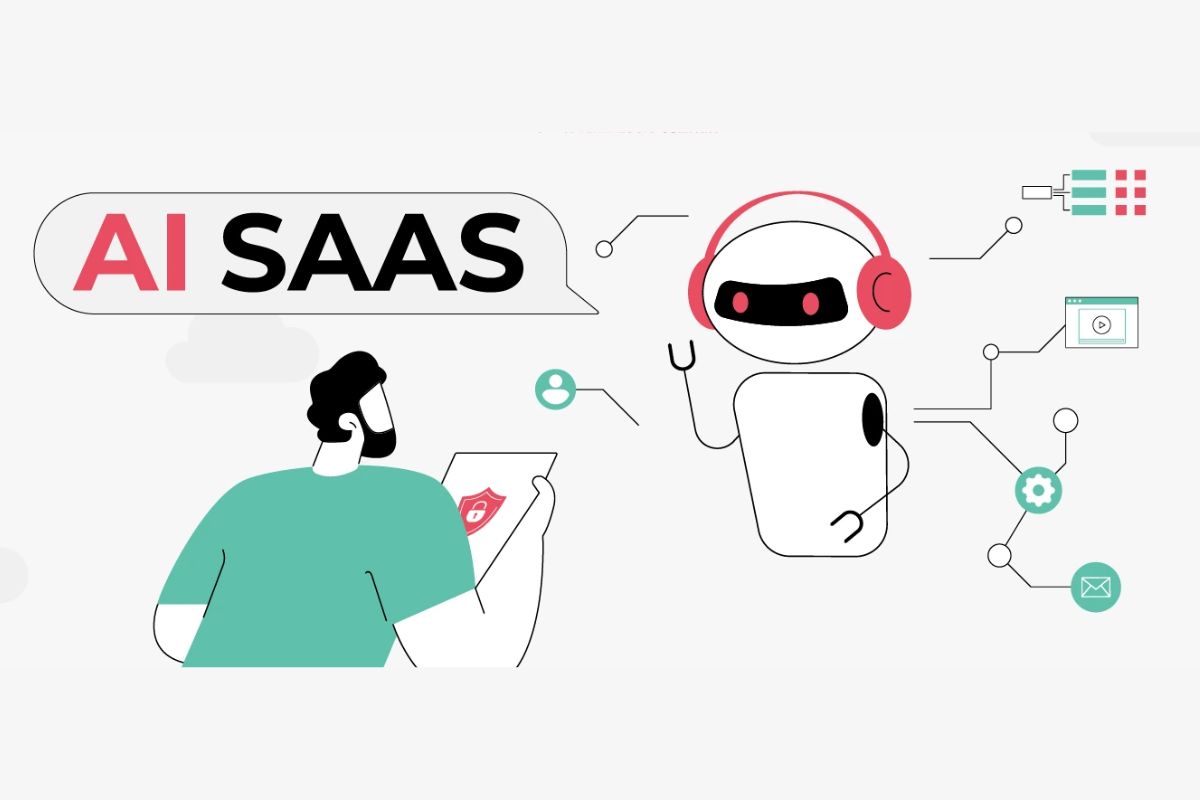
Conclusion: Choosing Your Automation Future
The AI automation landscape of 2026 offers unprecedented capability, accessibility, and sophistication. From traditional workflow tools enhanced with AI to genuinely autonomous intelligent agents, organizations have more options than ever for transforming how work gets done.
The “best” platform doesn’t exist in absolute terms. The optimal choice depends on your specific context: technical capabilities, budget constraints, existing technology investments, complexity requirements, and organizational goals.
For maximum accessibility and integration breadth, Zapier remains unmatched, though at premium pricing.
For visual workflow design and cost efficiency at scale, Make delivers exceptional value for moderately complex automations.
For technical teams prioritizing flexibility and long-term cost optimization, n8n provides unparalleled capability through its open-source architecture.
For enterprises requiring robust governance and deep system integration, Workato, UiPath, and Automation Anywhere deliver enterprise-grade capabilities justified by their premium pricing.
For Microsoft-centric organizations, Power Automate provides integrated automation leveraging existing investments.
For autonomous AI agents and knowledge work automation, Lindy represents the cutting edge of agentic automation.
For CRM-integrated intelligence, HubSpot Breeze and Salesforce Einstein deliver contextual capabilities that standalone tools cannot match.
The automation revolution is no longer coming—it’s here. Organizations that embrace AI-powered automation gain measurable advantages in productivity, accuracy, scalability, and operational efficiency. Those that delay adoption risk falling behind competitors moving at AI-accelerated speeds.
Start with clarity on your specific needs, choose a platform aligned with those requirements, begin with high-impact automations that deliver quick wins, and scale systematically as experience and confidence grow. The tools exist. The opportunity is clear. The question is simply: when will you begin?
The future belongs to organizations that work smarter through AI automation. These ten platforms provide pathways to that future, each excellent for specific contexts and use cases. Your automation journey starts with understanding which path aligns with where you’re going.