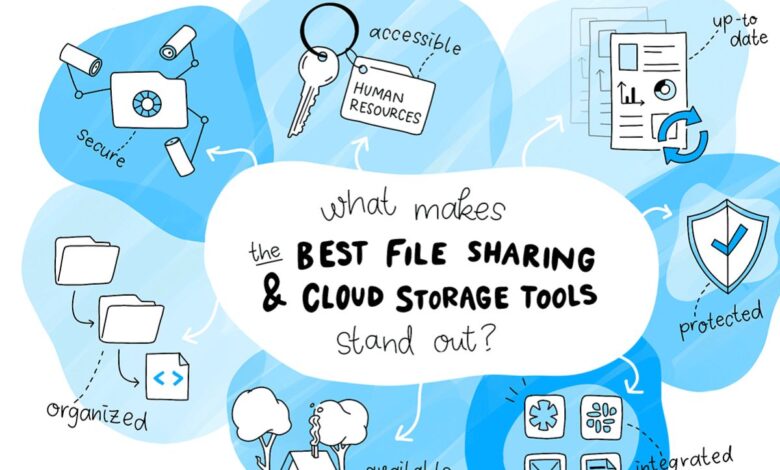
The landscape of business file storage has transformed dramatically as organizations increasingly recognize that digital infrastructure represents more than mere convenience. The ability to securely store, share, and collaborate on files across distributed teams has become fundamental to business operations in 2026. With over ninety-eight percent of corporations now storing at least some data in the cloud and estimates suggesting that more than sixty percent of all corporate data resides in cloud storage, selecting the right platform requires careful evaluation of security features, collaboration capabilities, compliance requirements, and total cost of ownership. This comprehensive guide examines ten leading business file storage solutions that define the current market, providing detailed insights into their features, pricing structures, and ideal use cases.
1. Google Drive and Google Workspace: The Collaborative Powerhouse
Google Drive continues to dominate discussions about business file storage in 2026, particularly for organizations that prioritize real-time collaboration and seamless integration with productivity applications. As part of Google Workspace, the platform provides businesses with professional email addresses, shared drives for team projects, and the full suite of Google productivity tools including Docs, Sheets, and Slides.
The Business Starter plan begins at seven dollars per user monthly with annual commitment, providing thirty gigabytes of pooled storage per user alongside video meetings supporting up to one hundred participants. Organizations seeking more robust capabilities often select the Business Standard tier at fourteen dollars per user monthly, which expands storage to two terabytes per user and enhances meeting capacity to one hundred fifty participants with recording capabilities.
The platform’s strength lies in its intuitive approach to collaboration. Multiple team members can simultaneously edit documents, spreadsheets, and presentations with changes appearing in real-time, eliminating the versioning confusion that plagues traditional file-sharing approaches. Google Drive’s advanced search capabilities help users locate files quickly even within massive document repositories, while file version history allows teams to track changes and revert to previous iterations when necessary. For businesses already invested in the Google ecosystem or those seeking straightforward collaboration tools that minimize training requirements, Google Drive represents a compelling choice that balances functionality with accessibility.
2. Microsoft OneDrive: Enterprise Integration Excellence
Microsoft OneDrive has established itself as the preferred file storage solution for organizations deeply embedded in Windows and Microsoft 365 ecosystems. The platform’s seamless integration with Office applications including Word, Excel, PowerPoint, and Outlook creates workflows that feel natural to users already familiar with Microsoft’s interface paradigms. OneDrive’s integration extends beyond simple file storage to include advanced features like co-authoring capabilities that rival Google’s real-time collaboration, automated backup of desktop folders, and personal vault functionality that provides additional security layers for sensitive documents.
The pricing structure for OneDrive aligns closely with Microsoft 365 subscriptions, making it particularly cost-effective for organizations already licensing Microsoft’s productivity suite. Business Basic subscribers receive OneDrive storage as part of their package, while Business Standard and Business Premium tiers provide enhanced storage allocations and advanced security features. The platform’s Files On-Demand capability allows users to access their entire file library without consuming local storage, a particularly valuable feature for employees using devices with limited disk space. For enterprises requiring robust compliance capabilities, OneDrive offers data loss prevention features, advanced threat protection, and retention policies that satisfy regulatory requirements across industries including healthcare, finance, and government sectors.
3. Dropbox Business: The Synchronization Specialist
Dropbox Business maintains its reputation as one of the most reliable file synchronization platforms available in 2026, serving over three hundred thousand business teams worldwide and more than half of the Fortune 500 companies. The platform’s core strength remains its exceptional approach to file syncing, occupying a single folder location and ensuring that everything stored synchronizes seamlessly across all devices. This simplicity belies sophisticated underlying technology that makes Dropbox particularly valuable for teams requiring dependable cross-device access to shared files.

Current pricing begins at eighteen dollars per user monthly for the Standard plan when billed annually, providing five terabytes of shared storage and supporting file transfers up to two gigabytes. The Advanced plan, priced at thirty dollars per user monthly, offers unlimited storage alongside enhanced administrative controls and compliance features. Dropbox distinguishes itself through features like Smart Sync, which allows users to access files without consuming local device storage, and Dropbox Paper, a collaborative document creation tool that integrates directly within the platform. The service’s branded sharing capabilities enable businesses to customize shared file presentations with company logos and backgrounds, reinforcing professional identity in client communications.
One consideration for prospective Dropbox Business users involves the platform’s minimum user requirement of three seats for all business plans, which may prove less suitable for very small organizations or solo practitioners. However, for teams meeting this threshold, Dropbox provides robust version recovery allowing retrieval of deleted files and restoration of previous versions for periods ranging from thirty days to one year depending on subscription tier. The platform’s integration with Microsoft Office, Google Docs, and Slack further enhances its utility within diverse technology environments.
4. Box: Enterprise Content Management at Scale
Box has positioned itself as a cloud content management solution specifically engineered for business requirements, with particular emphasis on secure collaboration, regulatory compliance, and content governance. The platform appeals strongly to organizations operating in regulated industries where compliance with standards including HIPAA, FedRAMP, and SOC certifications represents non-negotiable requirements. Box’s enterprise-grade security features include waterfall permissions that allow administrators to control access at granular levels, two-factor authentication for external users, and comprehensive audit trails that track all file interactions for compliance reporting.
The pricing structure for Box reflects its enterprise positioning while remaining accessible to smaller organizations. The Starter plan costs five dollars per user monthly and provides one hundred gigabytes of storage with support for ten collaborators, suitable for teams with modest storage requirements. The Business tier at twenty dollars per user monthly introduces unlimited storage, unlimited external collaborators, and integration capabilities with over fifteen hundred third-party applications including Salesforce, Adobe, and numerous other enterprise platforms. Business Plus subscribers paying thirty-three dollars per user monthly gain access to two additional enterprise integrations and enhanced workflow automation tools, while Enterprise customers at forty-seven dollars per user monthly receive unlimited application integrations alongside HIPAA and FedRAMP compliance support.
Box’s workflow automation capabilities through Box Relay enable organizations to create sophisticated approval processes, task assignments, and content-driven workflows without requiring custom development. The platform’s Box Sign feature provides integrated electronic signature functionality, eliminating the need for separate document signing services. For organizations prioritizing content management over simple file storage, Box delivers capabilities that extend well beyond basic synchronization to encompass comprehensive document lifecycle management.
5. IDrive: Hybrid Backup and Storage Innovation
IDrive represents an innovative approach to business file management by combining cloud backup capabilities with cloud storage functionality in a single integrated platform. This hybrid model proves particularly valuable for organizations seeking both active file collaboration and comprehensive data protection against loss or corruption. What distinguishes IDrive from pure storage solutions is that cloud storage capacity does not consume cloud backup allocation, effectively providing users with twice the storage capacity when utilizing both features.
The platform excels in scenarios involving large file management, making it especially attractive to videographers, video editors, and organizations regularly working with substantial media files. IDrive’s continuous data protection ensures files backup in real-time as changes occur, providing protection against ransomware attacks and accidental deletions. The snapshot feature allows restoration of data from any point in time, creating multiple recovery options that enhance business continuity planning. Organizations can perform full disk image backups preserving entire system configurations, facilitating rapid recovery in disaster scenarios.
IDrive’s hybrid backup capabilities support multiple devices under single accounts, accommodating diverse technology environments that might include Windows workstations, Mac computers, and various mobile devices. While the cloud storage interface offers fewer collaboration features compared to platforms like Google Drive or Dropbox, the combination of robust backup capabilities with accessible cloud storage creates compelling value for organizations prioritizing data protection alongside file accessibility.
6. Sync.com: Privacy-First File Storage
Sync.com has emerged as a leading choice for organizations where privacy concerns override other considerations. The platform employs zero-knowledge encryption architecture ensuring that even Sync.com’s own infrastructure cannot access stored file contents. This end-to-end encryption approach provides maximum privacy protection while maintaining accessibility and collaboration functionality that businesses require. The platform’s Canadian jurisdiction and commitment to transparent privacy policies appeal to organizations seeking alternatives to storage providers based in jurisdictions with different data privacy frameworks.
Pricing for Sync.com proves highly competitive in the secure storage category. The Pro Solo plan offers two terabytes of storage at an annual cost that represents significant savings compared to enterprise-focused alternatives, particularly when considering the security features included as standard rather than premium additions. Teams requiring collaborative capabilities can access business plans that expand storage allocations while maintaining the same zero-knowledge encryption protecting all data at rest and in transit.
The platform includes built-in tracker blocking that prevents senders and advertisers from monitoring email interactions when sharing files, protecting users from digital surveillance that has become increasingly prevalent across internet communications. Sync.com’s file sharing controls allow users to set passwords, expiration dates, and download limits on shared links, providing granular control over how shared content can be accessed and distributed.
7. Tresorit: Military-Grade Security for Sensitive Data
Tresorit positions itself at the premium end of secure cloud storage, offering what the platform describes as military-grade security features specifically designed for organizations handling highly sensitive information. The service provides end-to-end encryption with AES-256 protocols alongside advanced permission management that creates centralized control over document access. Organizations in healthcare, legal services, financial sectors, and other industries where confidentiality represents paramount concern find Tresorit’s security-first approach aligns well with compliance and risk management requirements.
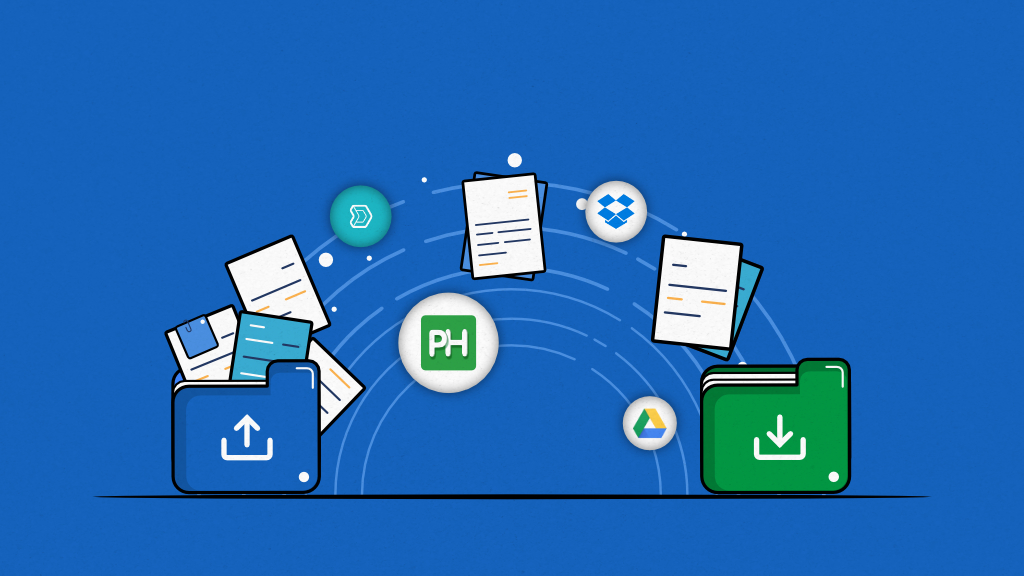
The platform offers three gigabytes of free storage allowing prospective users to evaluate security features and interface design before committing to paid subscriptions. To access one terabyte of storage, organizations pay fourteen dollars and fifty cents per user monthly. While this pricing exceeds budget-oriented alternatives, users consistently praise Tresorit’s focus on security alongside responsive customer support and reliable data synchronization across devices. User reviews acknowledge occasional performance variations, particularly during peak usage periods, though the general consensus emphasizes that security features justify any minor performance trade-offs.
Tresorit’s user interface balances security requirements with usability, avoiding the complexity that sometimes characterizes highly secure systems. The platform supports collaborative workflows including file sharing, version control, and activity tracking, ensuring that security enhancements do not impede productive collaboration. For organizations where data breach consequences could prove catastrophic, Tresorit’s premium pricing represents insurance against risks that far exceed subscription costs.
8. pCloud: Lifetime Storage Solutions
pCloud distinguishes itself in the crowded file storage market through unique lifetime subscription options that eliminate ongoing monthly or annual fees. This pricing model appeals particularly to individuals and small businesses seeking to minimize long-term operational expenses while securing permanent storage capacity. The platform’s Swiss data protection framework provides robust privacy assurances, while the option to add client-side encryption through pCloud Crypto creates zero-knowledge architecture similar to Sync.com and Tresorit.
Beyond lifetime pricing advantages, pCloud delivers comprehensive file storage features including file sharing, collaboration tools, and media streaming capabilities. The platform’s file versioning maintains previous iterations of documents for up to one year depending on subscription tier, protecting against accidental modifications or deletions. pCloud’s rewind feature allows users to restore entire folder states to previous points in time, providing recovery options that extend beyond individual file restoration.
The service supports diverse file types and provides streaming capabilities for media content, making it suitable for organizations managing photo libraries, video collections, and audio files alongside standard business documents. pCloud’s integration with productivity applications and cloud services creates interoperability that enhances its utility within mixed technology environments. For budget-conscious organizations planning long-term operations, pCloud’s lifetime plans represent compelling value that eliminates perpetual subscription obligations while delivering features comparable to monthly subscription services.
9. Egnyte: Business-Focused Hybrid Infrastructure
Egnyte may lack the name recognition enjoyed by larger competitors, though extensive testing confirms the platform delivers one of the most sophisticated cloud document storage solutions available for organizations familiar with cloud service administration. The platform emphasizes data management, user profiles, controlled access, and regulatory compliance with features specifically designed for business requirements rather than consumer convenience. This business-first approach creates robust capabilities for organizations requiring enterprise-grade content governance alongside file storage functionality.
The platform’s hybrid infrastructure combines cloud storage with on-premises deployment options, allowing organizations to maintain local copies of frequently accessed files while leveraging cloud scalability for broader storage needs. This architecture proves particularly valuable for businesses with distributed locations requiring local file access speeds combined with centralized management and backup. Egnyte’s sophisticated permission systems provide granular control over who can access, edit, share, and delete specific files and folders, creating security frameworks that satisfy compliance requirements across regulated industries.
Egnyte’s integration ecosystem encompasses over fifteen hundred business applications including CRM systems, project management platforms, and industry-specific tools. The platform’s strong security credentials include data loss prevention, ransomware detection, and comprehensive audit logs that track all file system activities. For organizations requiring sophisticated content governance alongside reliable file storage, Egnyte delivers capabilities that justify its positioning as an enterprise-focused solution.
10. Backblaze: Unlimited Backup Simplicity
Backblaze occupies a unique position in business file storage by focusing primarily on backup rather than real-time collaboration, though this specialization creates compelling value for specific use cases. The platform offers unlimited backup storage at fixed monthly costs per computer, eliminating concerns about storage limits that constrain other services. This unlimited approach proves particularly attractive for organizations managing large data volumes including video production companies, architectural firms, and research institutions accumulating substantial file collections.
While Backblaze excels at data protection, the platform provides fewer collaboration tools compared to services designed primarily for active file sharing and team coordination. Organizations seeking Backblaze should recognize it primarily serves backup and recovery needs rather than replacing collaborative file storage platforms. The combination of unlimited storage, straightforward pricing, and reliable backup performance makes Backblaze valuable as a complementary service alongside primary storage solutions, creating comprehensive data protection strategies that combine active collaboration platforms with robust backup infrastructure.
The service’s versioning capabilities maintain file history for thirty days on standard plans, with extended version retention available on business tiers. Backblaze’s restoration options include direct download, shipped hard drives containing backed-up data, and integration with cloud storage services for hybrid recovery scenarios. For organizations where data loss represents existential risk, Backblaze’s unlimited backup approach provides affordable insurance against disasters ranging from hardware failures to ransomware attacks.
Making the Right Choice for Your Organization
Selecting optimal business file storage requires thoughtful evaluation of organizational requirements extending beyond simple storage capacity considerations. Security-conscious organizations, particularly those in regulated industries handling sensitive information, should prioritize platforms offering robust encryption, comprehensive compliance certifications, and granular access controls. Solutions like Tresorit, Sync.com, and Box excel in these security-focused scenarios. Organizations prioritizing collaboration and productivity should examine Google Drive and Microsoft OneDrive, where integration with familiar productivity applications creates seamless workflows that minimize training requirements and maximize team efficiency.
Budget constraints naturally influence platform selection, though organizations should evaluate total cost of ownership rather than focusing exclusively on subscription fees. Platforms offering lifetime plans like pCloud eliminate ongoing costs that accumulate significantly over years, potentially providing superior long-term value despite higher initial investments. Conversely, per-user monthly subscriptions from providers like Dropbox and Box create predictable operational expenses that scale naturally with organizational growth, avoiding large upfront capital requirements.
Consider evaluating backup requirements separately from active file collaboration needs. Organizations might find that combining specialized backup services like Backblaze or IDrive with collaboration-focused platforms like Google Drive creates more robust data protection than relying on single solutions attempting to address all requirements. This multi-platform approach provides redundancy protecting against both provider outages and accidental deletions while allowing selection of best-in-class solutions for distinct use cases.
Most providers offer free trials or freemium tiers allowing hands-on evaluation before financial commitment. Organizations should leverage these opportunities to test platforms using actual business workflows rather than theoretical comparisons. Involve team members who will use the systems daily in evaluation processes, as their feedback regarding usability and feature relevance proves more valuable than specification sheets. Pay particular attention to mobile applications, as remote work patterns increasingly require robust functionality beyond desktop interfaces.
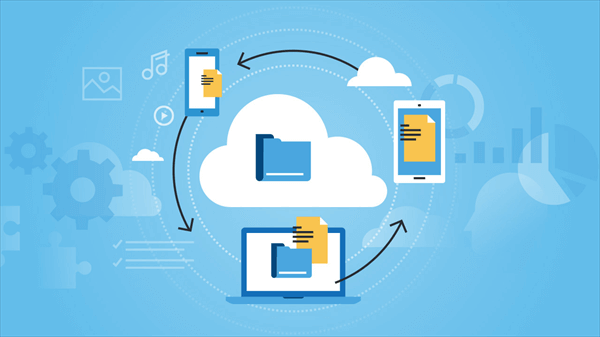
The business file storage landscape in 2026 offers unprecedented choice, from enterprise-grade solutions with comprehensive compliance features to budget-friendly options prioritizing simplicity over sophistication. By carefully evaluating organizational requirements against platform capabilities, businesses can identify storage solutions that enhance productivity, protect data, and support collaboration while remaining within budget constraints. The right choice balances immediate needs with growth projections, ensuring selected platforms can scale alongside evolving business requirements without forcing disruptive migrations in future years.